
Module: Days off

Quickly check upcoming workers absences!
The "Days off" module allows you to quickly view scheduled worker absences. With just one glance, you can see who will be absent and when, helping you better plan your team's work. 😊
💡 Where do upcoming absences come from?
Find out more here: Vacation Calendar, known as the "Days Off" tab 🧳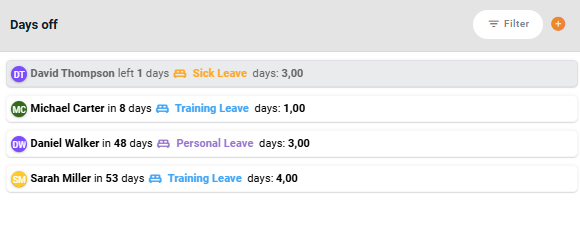
🔍 What Information Can You See in the Module?
This module provides key details about upcoming absences:
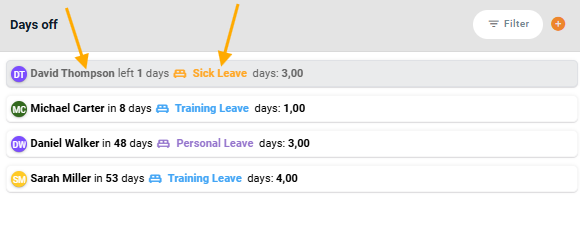
Worker Name – Indicates who will be absent.
Type of Absence – e.g., "Sick Leave," each with a designated color.
X Days Left – Displays how many days remain until the absence starts.
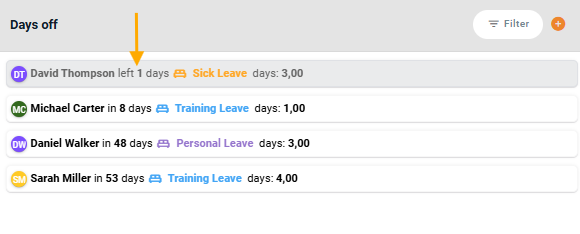
Gray background – Marks workers who are currently on leave.
White background – Indicates scheduled absences that haven't started yet.
Hovering over an absence will display detailed information, including the exact start and end dates and the total duration of the leave.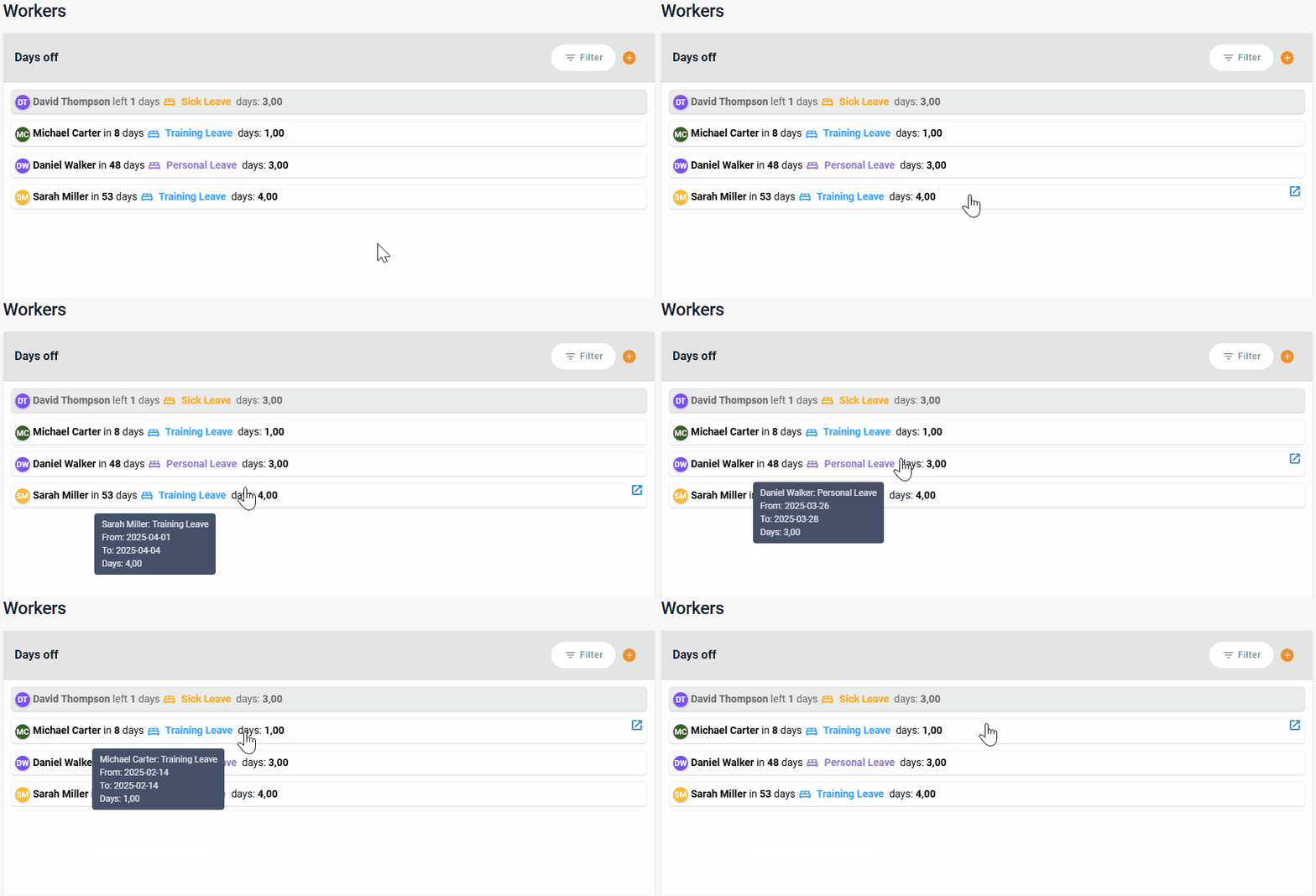
🔎 What Happens When You Click on an Entry?
Clicking on an employee's tile opens detailed absence records, allowing for edits.
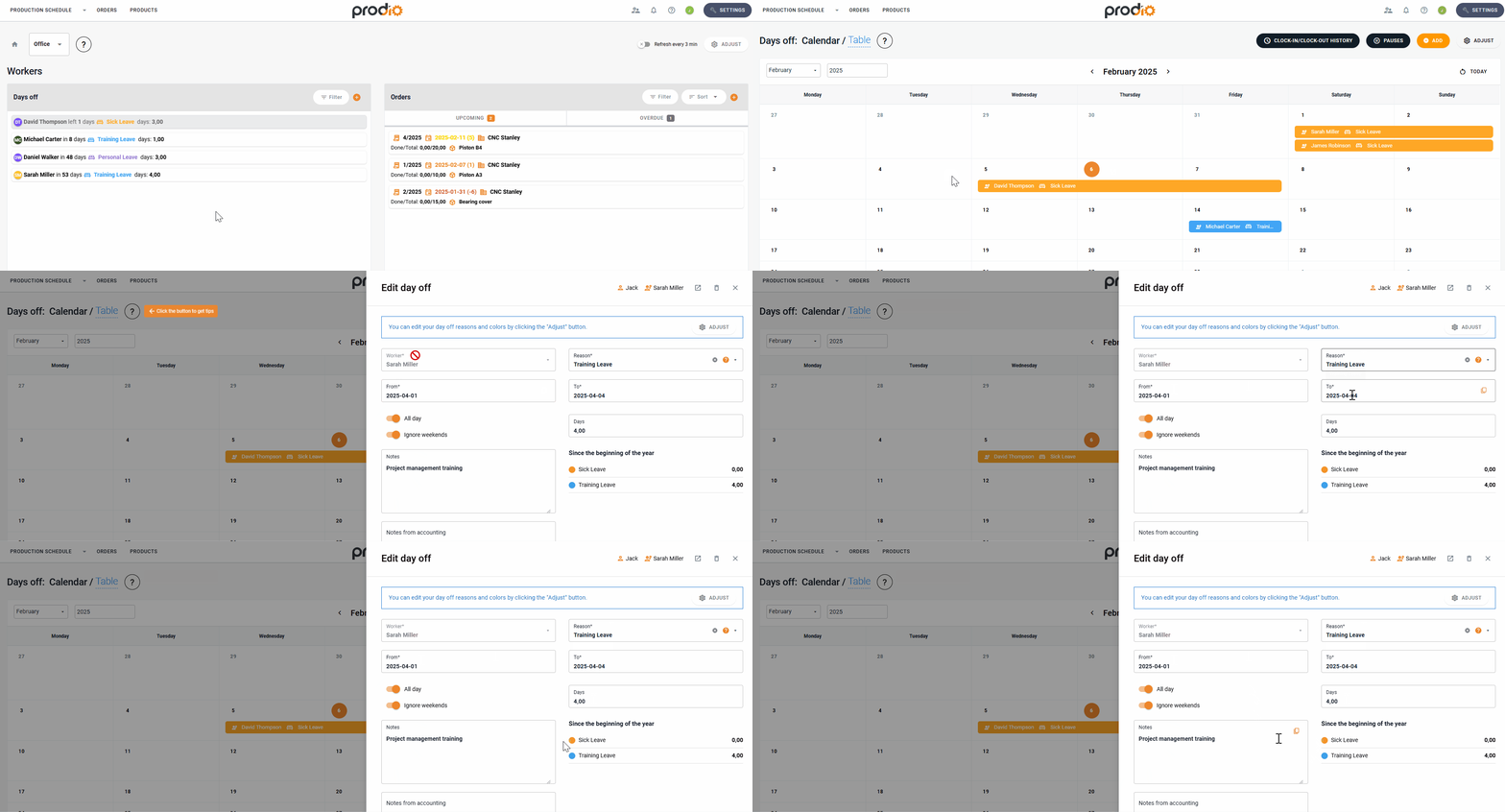
The "+" button opens a new tab, making it easy to add a new absence for another worker.
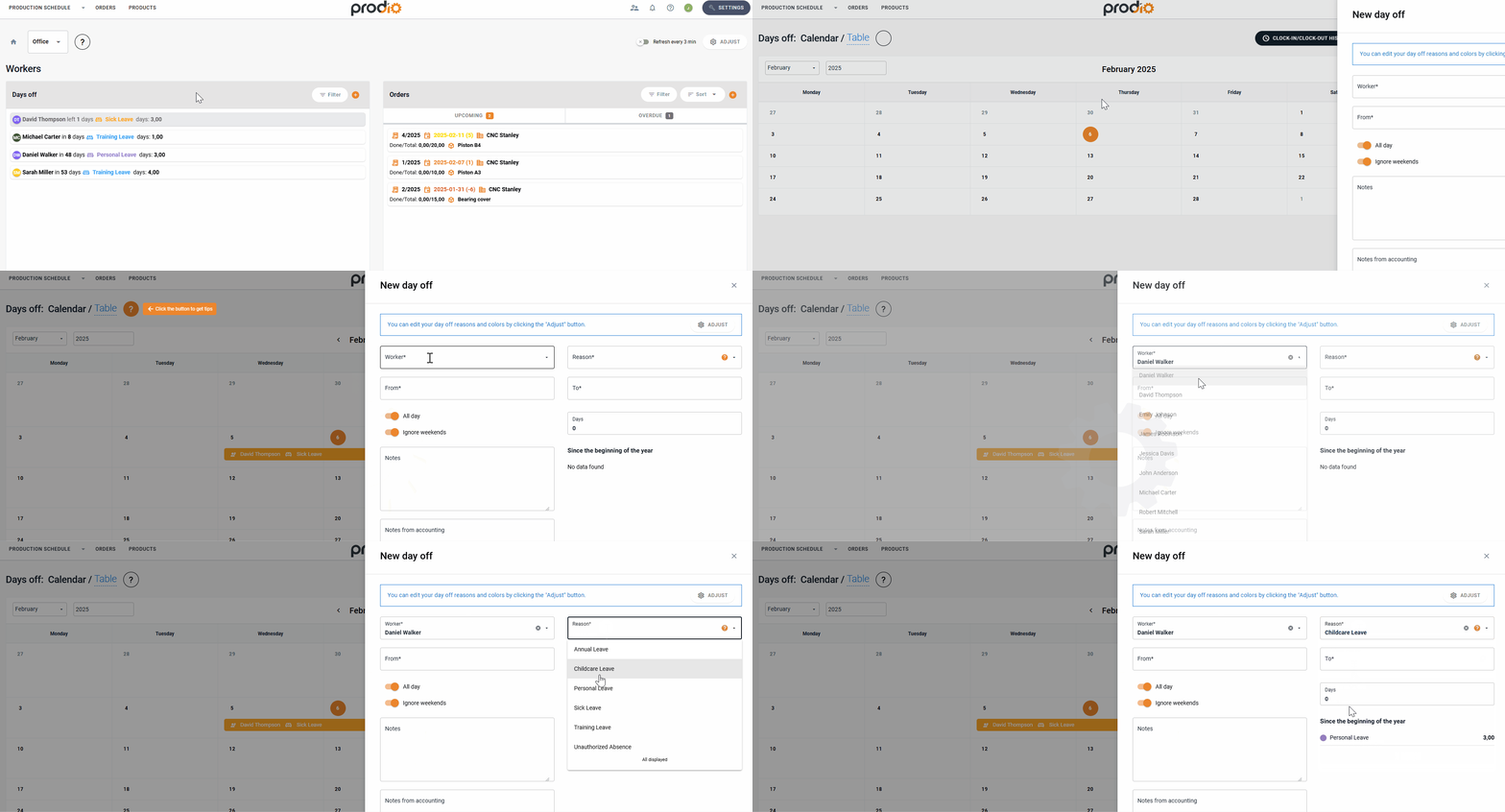
👀 Using the Filtering Options
The module provides various filtering options to quickly find the information you need:
Filter by worker – Display absences for a specific person.
Filter by reason of absence – e.g., only sick leaves or urgent leaves.
🔧 Examples of Filter Use:
Easily check upcoming vacations or sick leaves.
View absences for a specific worker.
🚀 Key Benefits of the Module
✔️ Monitor planned absences – Quick access to employee leave schedules.
✔️ Better work planning – Adjust production schedules based on team availability.
✔️ Avoid surprises – Always know who will be unavailable in the coming days.
High five 🙋♀️ - team Prodio!
Prodio is a user friendly production planning software for small manufacturers