
Work pauses registration

In this article, you will learn what can be found in the “Pauses” tab and how to use it.
What are pauses?
With the pauses function, you can check how much time your worker spent on a break and the reason for it. Additionally, if someone forgets to clock out for a break, you can manually enter this data.
How to use the pauses tab?
Work pauses registration feature can be found in the sidebar after clicking on the "Clock in/ Clock out RCP" tab.

After clicking on it, the page with the Work pauses registration of all worker will open.

What can be found in the Work pauses registration?
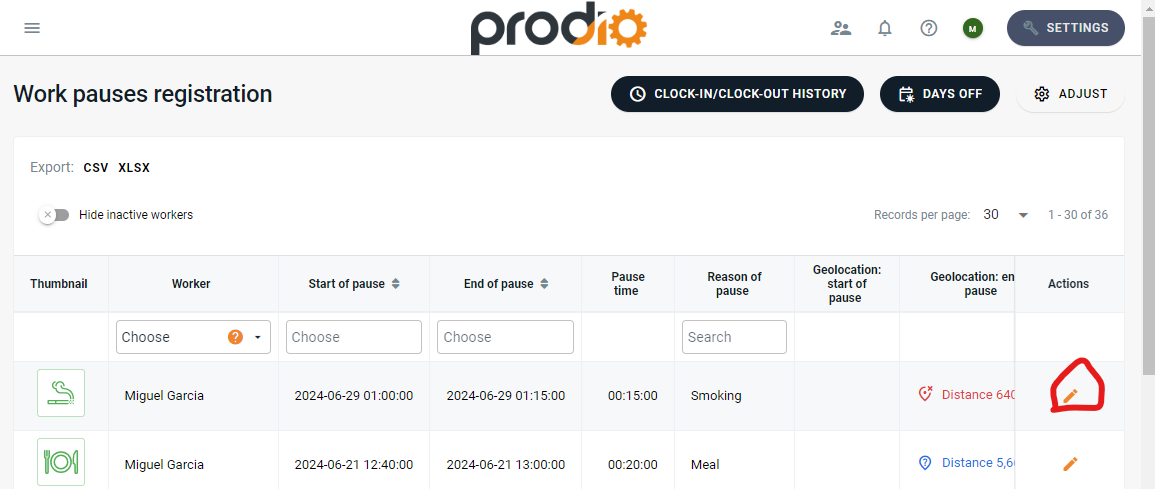
There, you will primarily find information such as the start and end of the break, break duration, reason, geolocation, IP address, and the browser used during the break registration.

How to edit pauses?
It’s very simple! Just click on the 

If you have previously edited break data or entered it manually, the name of the person who made the changes will be visible in the upper left corner of the editing card.
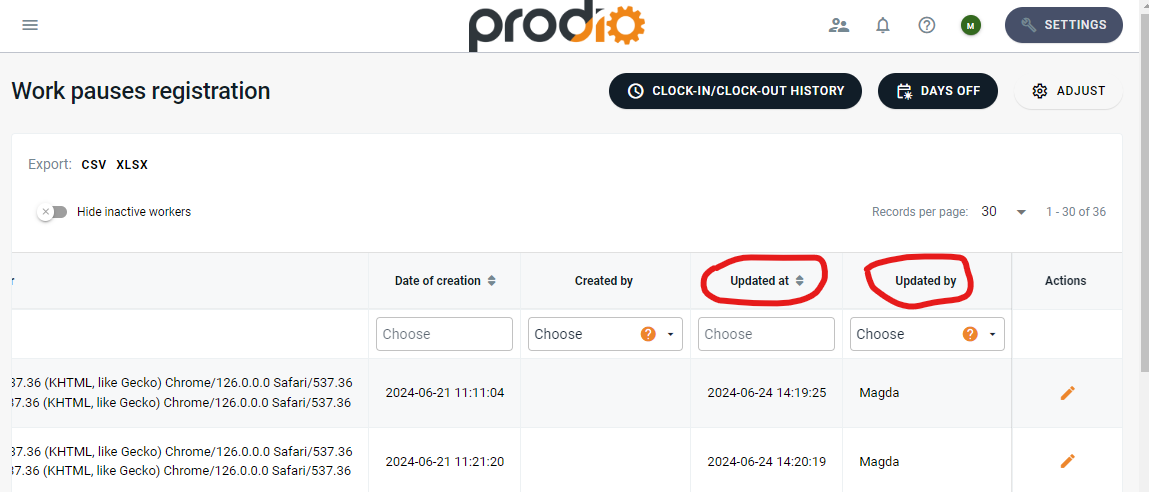
Additionally, this information, along with the time and date of its entry, is also visible in the columns updated and updated by.

What benefits does the Work pauses registration provide?
This feature allows you to check who, when, and how long was on a break. Additionally, if the worker forgets or makes a mistake, it is possible to correct or enter this data into the program. You can also check who made the changes, on what day, and at what time.
High five 🙋♀️ - team Prodio!
Prodio is a user friendly production planning software for small manufacturers.