
Users in Prodio - who are they and how to enter them to the system?

Who are the Prodio users - what are their permissions? Find out in this article!
If you have employees in your company whom you want to grant access to the Prodio management panel, you can add them as users and then assign them the appropriate permissions.
We have prepared several account types with restricted access - click here to see your options.
HOW TO SET IT UP?
Go to Settings, then click on the Users tab:
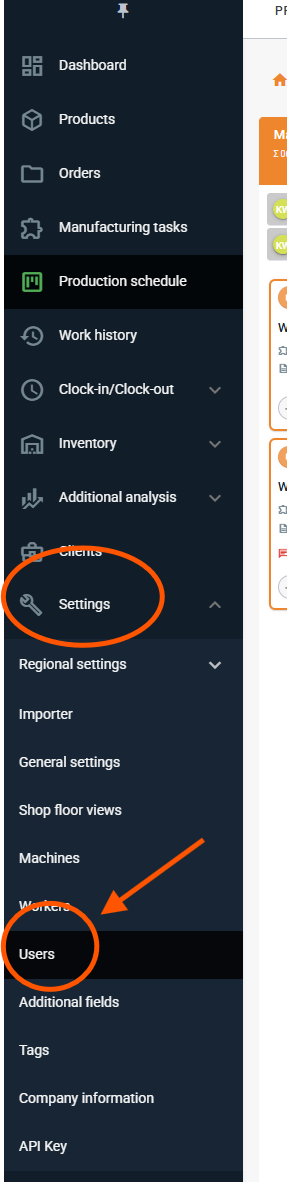
2. Click the green button in the top right corner to add a user:

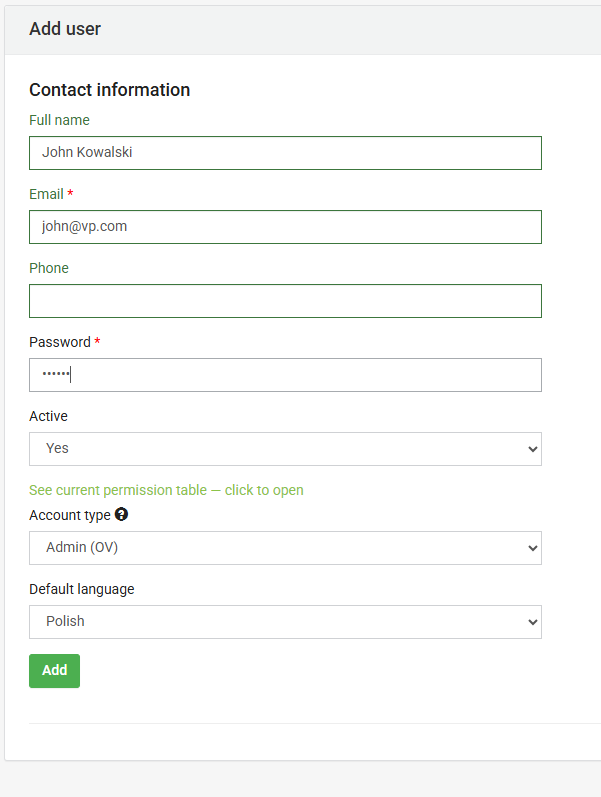
3. Next, enter the new user's full name, email address, and password. In the Account Type field, select the permissions you want to grant (you can view a full description of each account type by clicking on the green text: "Current Permission Table").
FREQUENTLY ASKED QUESTIONS
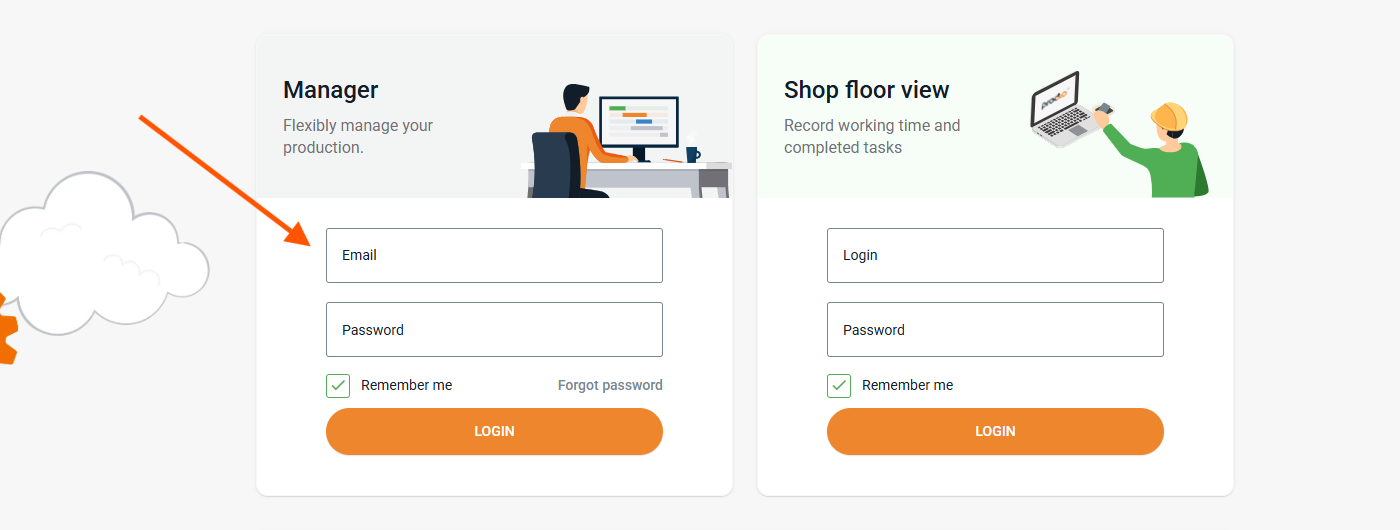
How does a user log in to Prodio?
Provide the user with the login link (subdomain.getprodio.com) and the login credentials you set up above. This user will log into the management panel using the left side of the login screen.
Can I add my own account types to the app?
The app doesn't have an option to create custom account types—so we'll have to meet halfway here. If you have an idea for a new user type, let us know! We'll see what we can do!
High five! 🙋♀️ - ekipa Prodio!