
"Repeat Technologies" Feature – Save Time and Reduce Errors

Easily copy the technology from a previous order, eliminating the need to manually enter the same data.
How Does the "Repeat Technology" Feature Work?
When planning orders in Prodio, the system automatically pulls in the technology from the previous order.
All operation data is copied except for:
- Planned start and stop times
- The number of pieces to be produced in each operation
This makes the process much faster, so you don’t have to manually add operations each time! 😃
How to Enable the "Repeat Technologies" Feature?
1️⃣ Select multiple orders (this option is not available when planning only one order). Then, click "Schedule."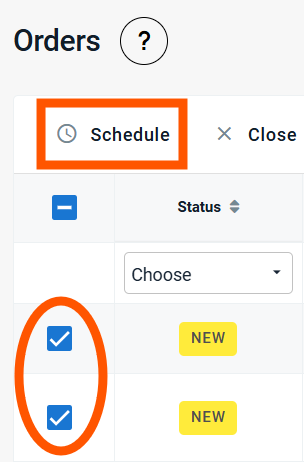
2️⃣ Enable the "Repeat Technologies" option.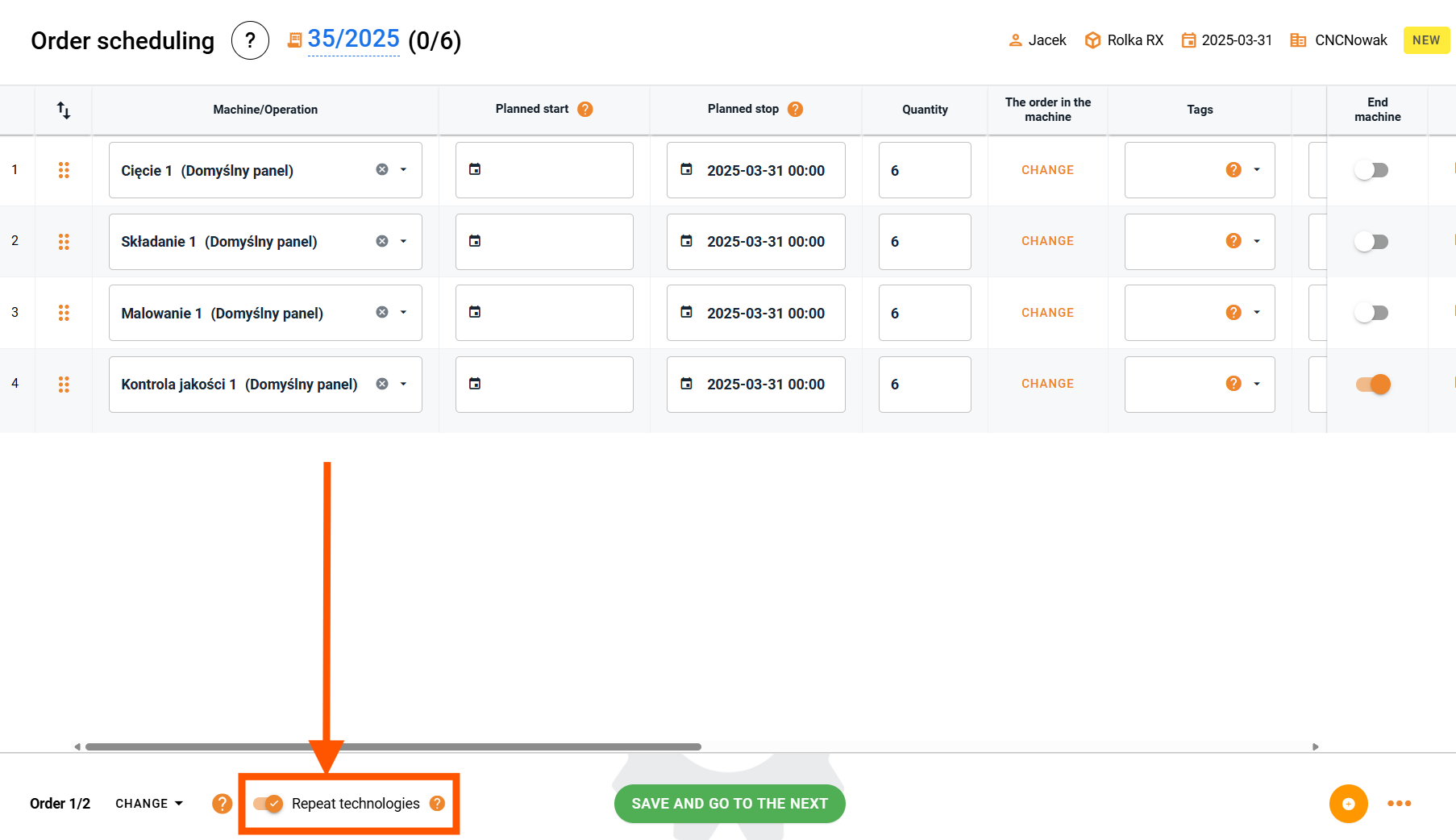
3️⃣ Once all the necessary data is entered, click "Save and go to the next"- Prodio will automatically copy the technology to the next planned order.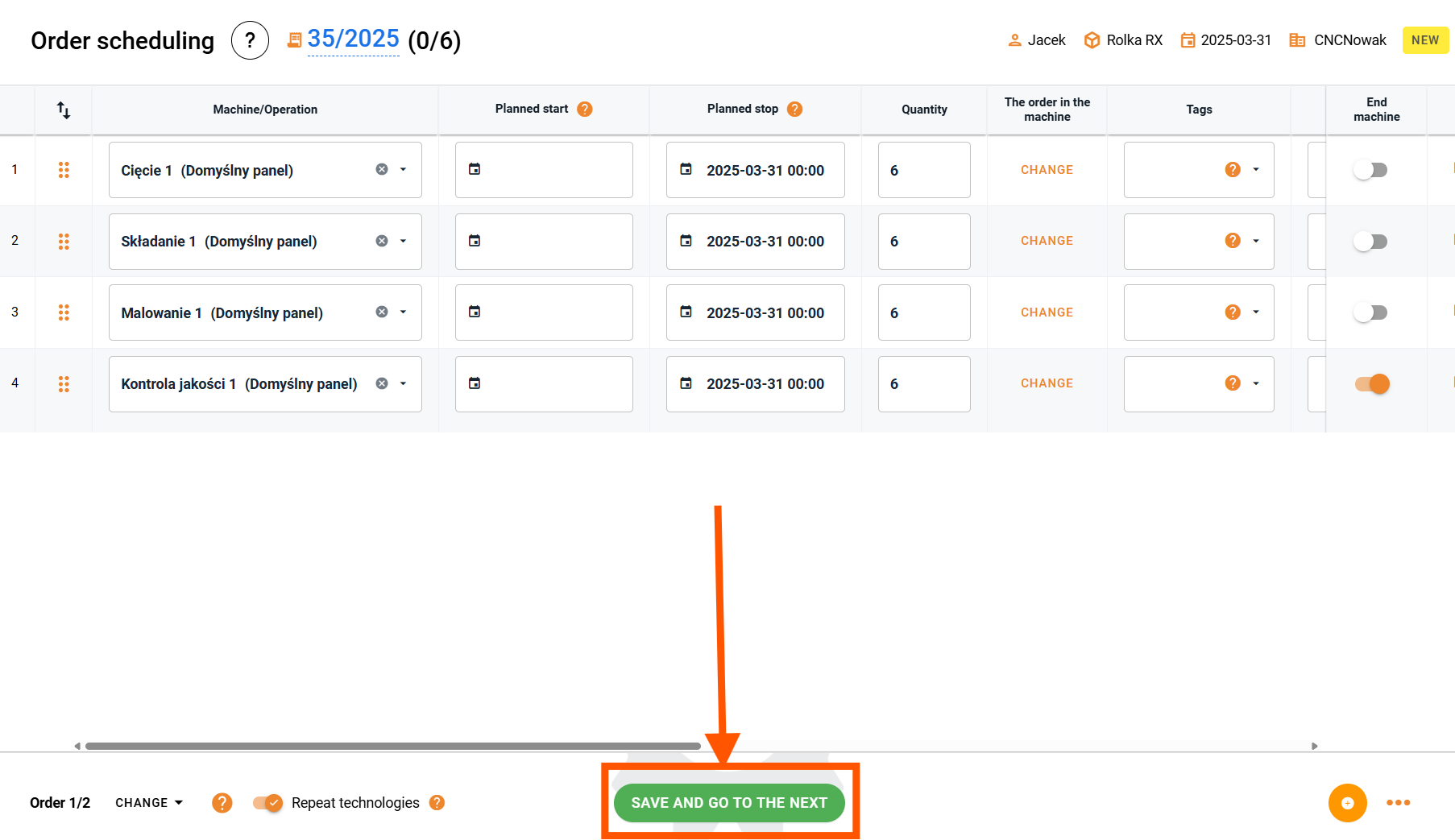
That’s it! The technology is now copied to the next order. 😁
Why Use This Feature?
✅ Faster order planning – no need to manually add and modify operations for every order.
✅ Fewer errors – avoid mistakes caused by manual data entry.
✅ Perfect for repeat orders – if the only differences are cycle times or the number of pieces, you can simply adjust them after copying the technology instead of adding everything from scratch.
High five 🙋♀️ - team Prodio!
Prodio is a user friendly production planning software for small manufacturers