
Routing/Production Technology – What is it and How to Set It Up? 🔧

Routing, also known as production technology, is simply a detailed plan.
It defines which machines and operations a product must go through to reach the customer. It's like a "recipe" for production, helping not only to streamline work on the shop floor but also to control the entire production process. 😊
Why Is Production Technology Important?
Routing is useful for both employees and you:
For workers: They can see which machines to work on and what operations to perform. This ensures smooth workflow, and no one needs to wonder what to do next.
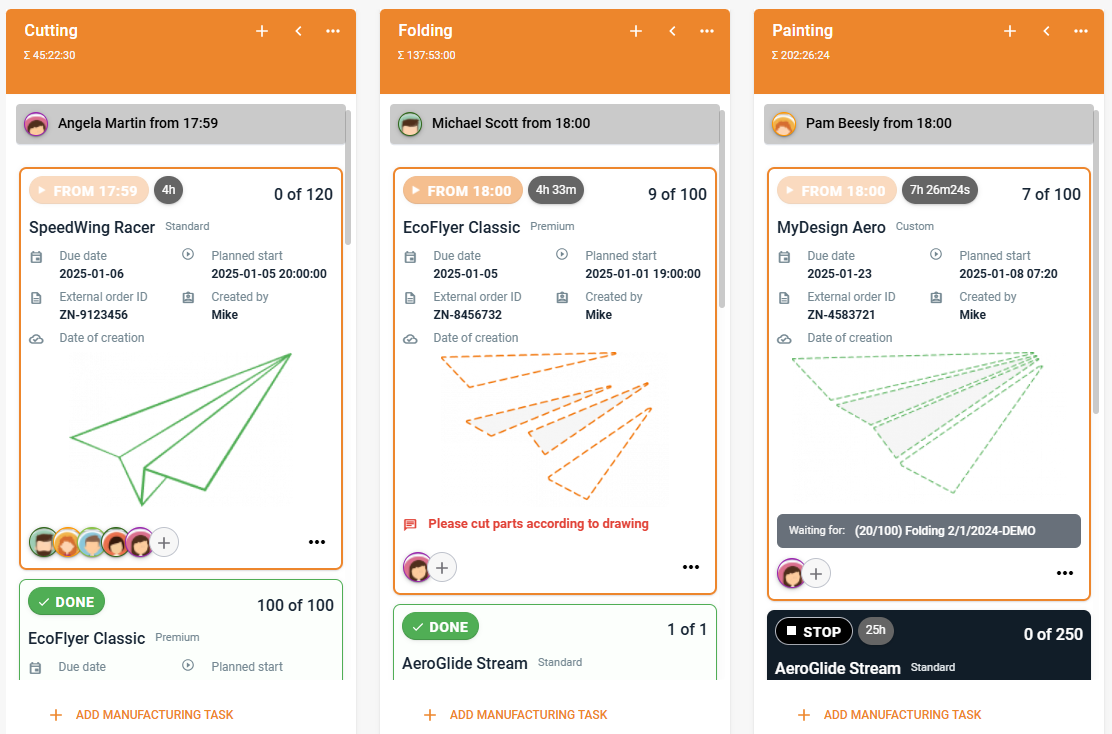
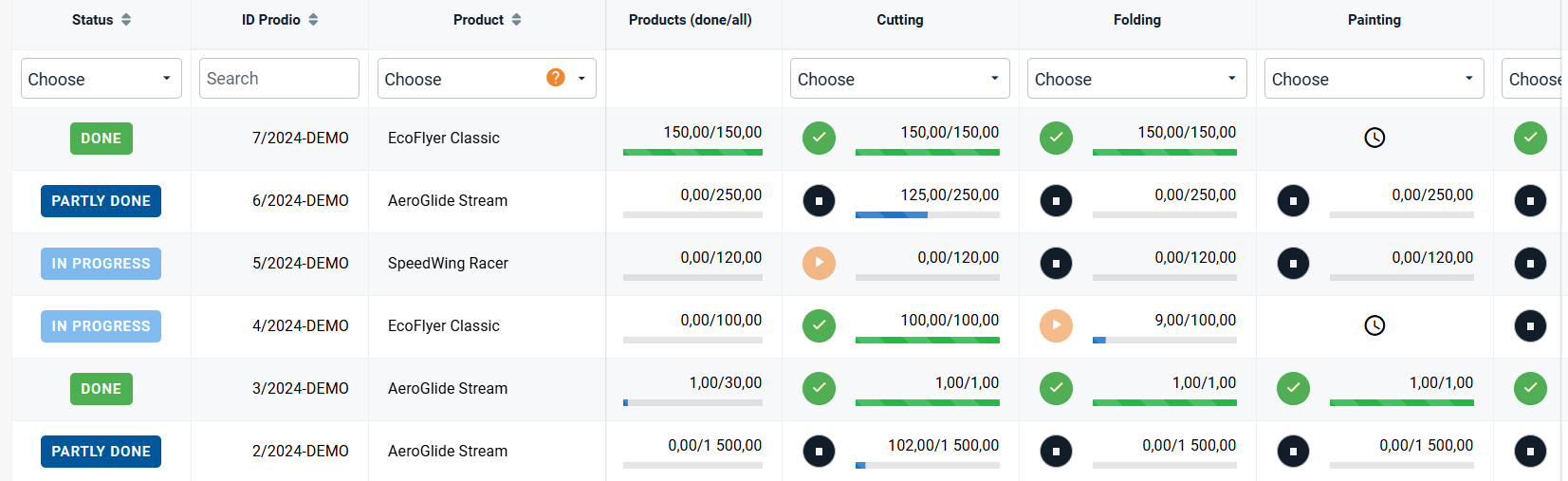
For you: You gain complete visibility into what is happening on the production floor – which machines were used, how long each operation took, and what has already been completed.
How to Assign Production Technology to a Product?
Assigning production technology to a product is very simple:
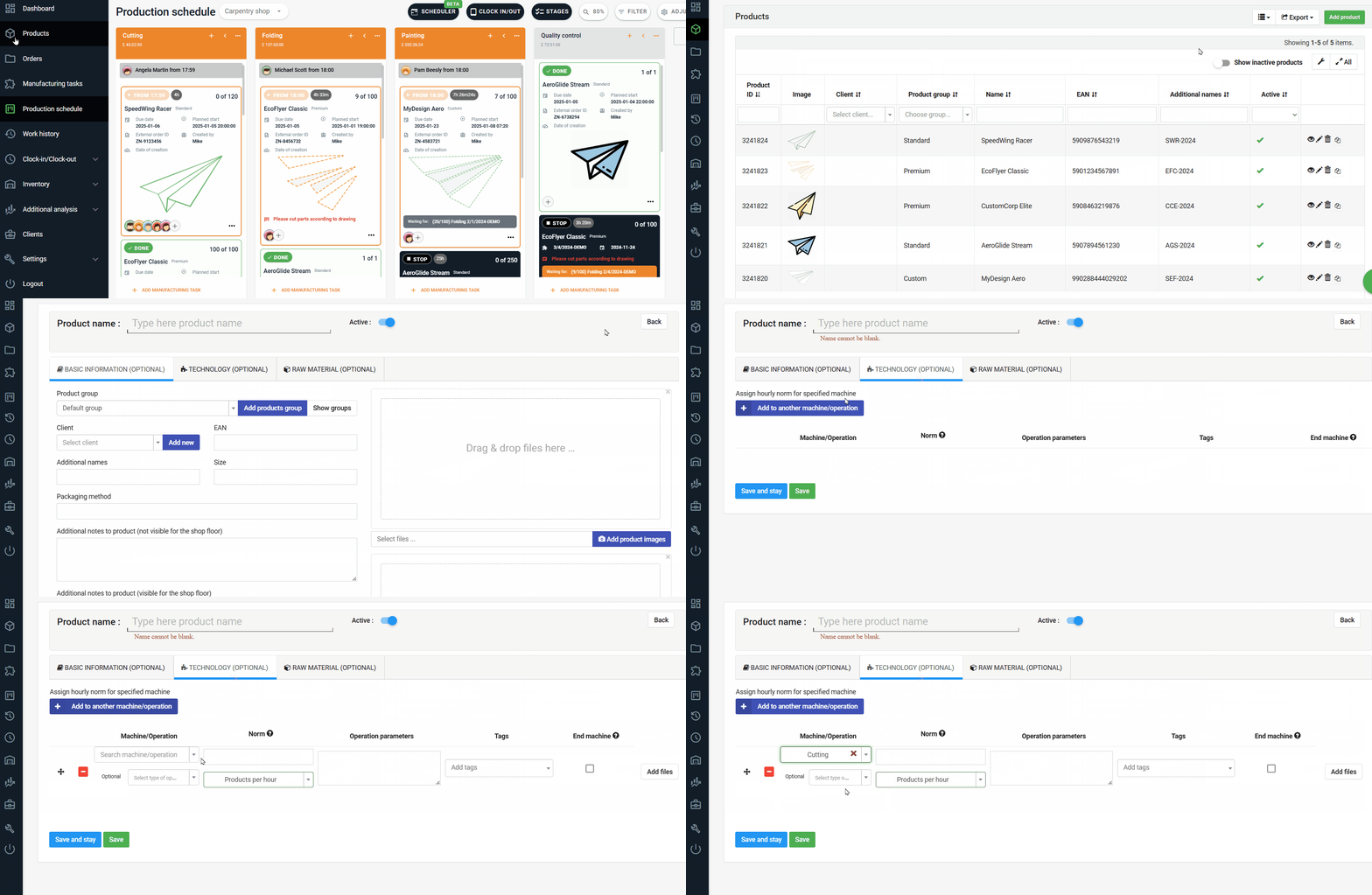
Go to the "Products" tab, click "Add Product", and choose the "Technology" option.
At this stage, define which machines or operations the product needs to go through to be completed.
👉 Note: Before doing this, make sure you have already added your machines and operations. You can configure them in the "Settings" → "Machines" tab.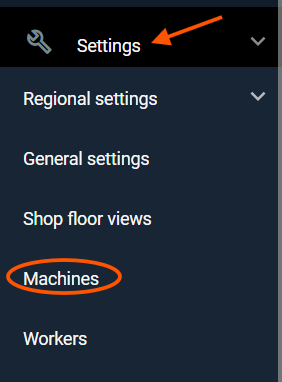
End Machine – Why Is It So Important?
When defining production technology, you must specify which machine or operation will be the end machine. This is a key step because when the worker finishes working on this machine, the order will automatically change its status to "Done."
This way, you will always know what has been completed and what is ready for the next steps, such as packaging or shipping.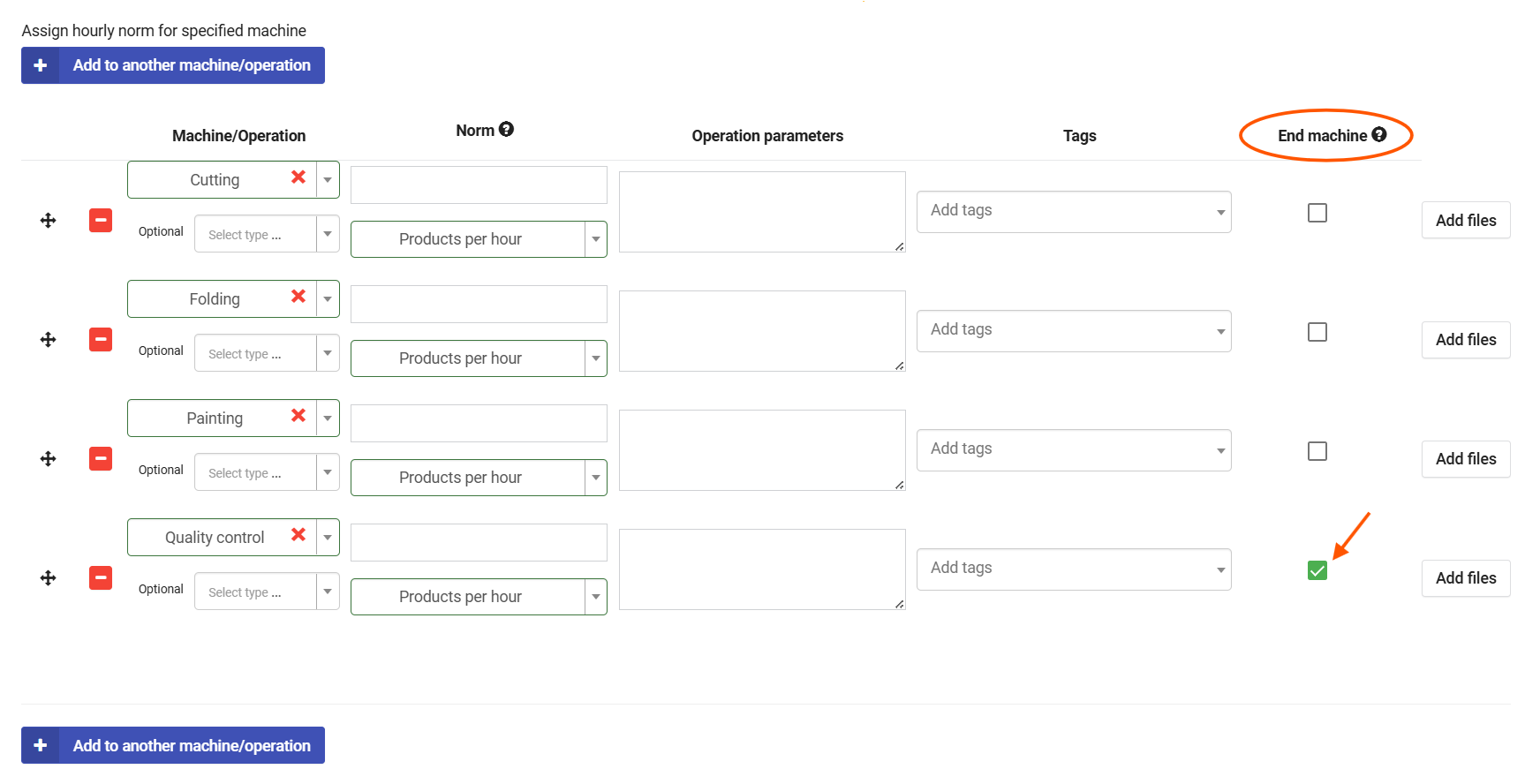
Flexibility and Editing Production Technology
One of the greatest advantages of production technology is that you can edit it anytime. If your production processes change, you can:
Change the order of machines or operations.
Add or remove operations.
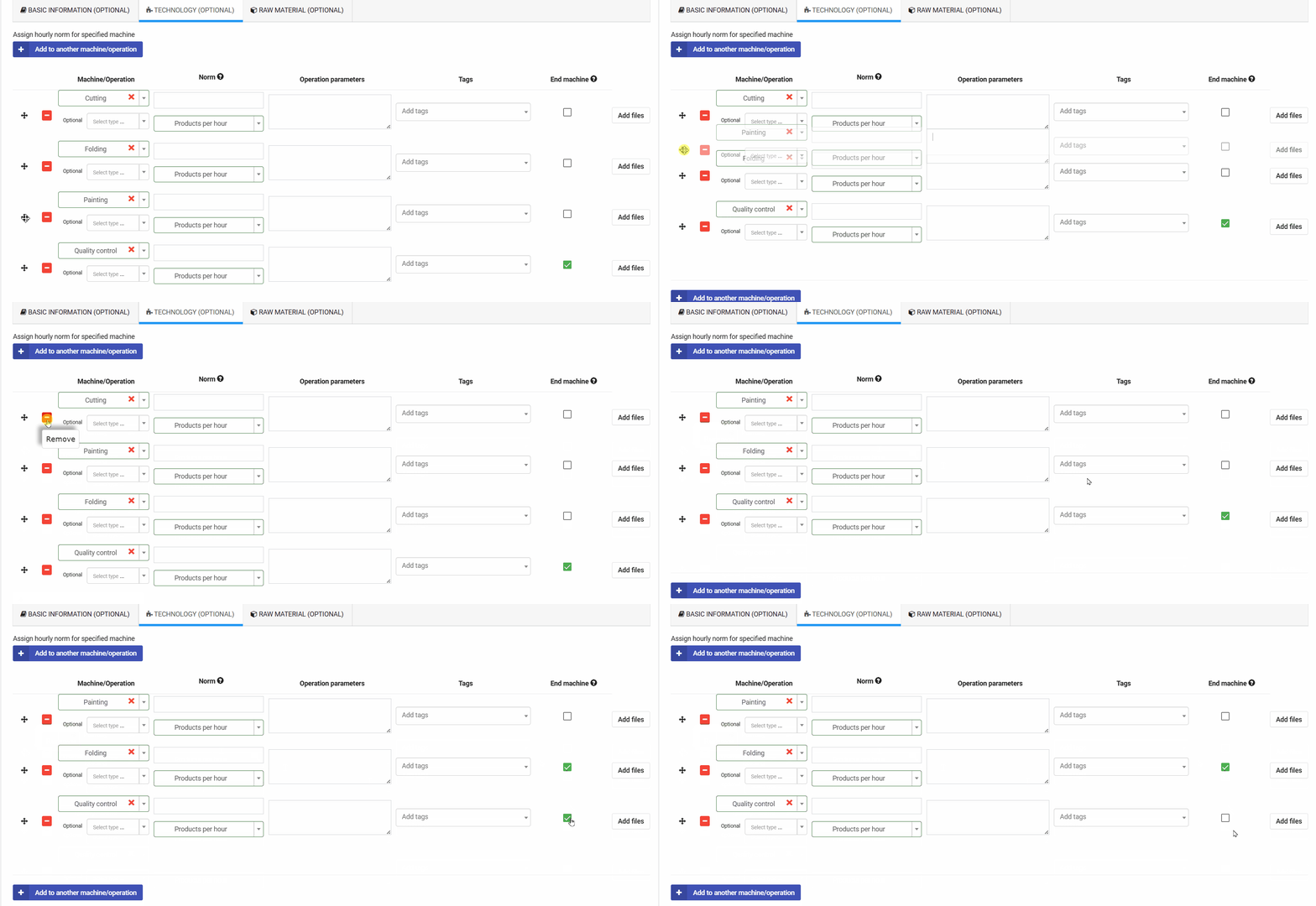
Moreover, you can make these changes even during the order planning stage, ensuring full control and adaptability of your processes.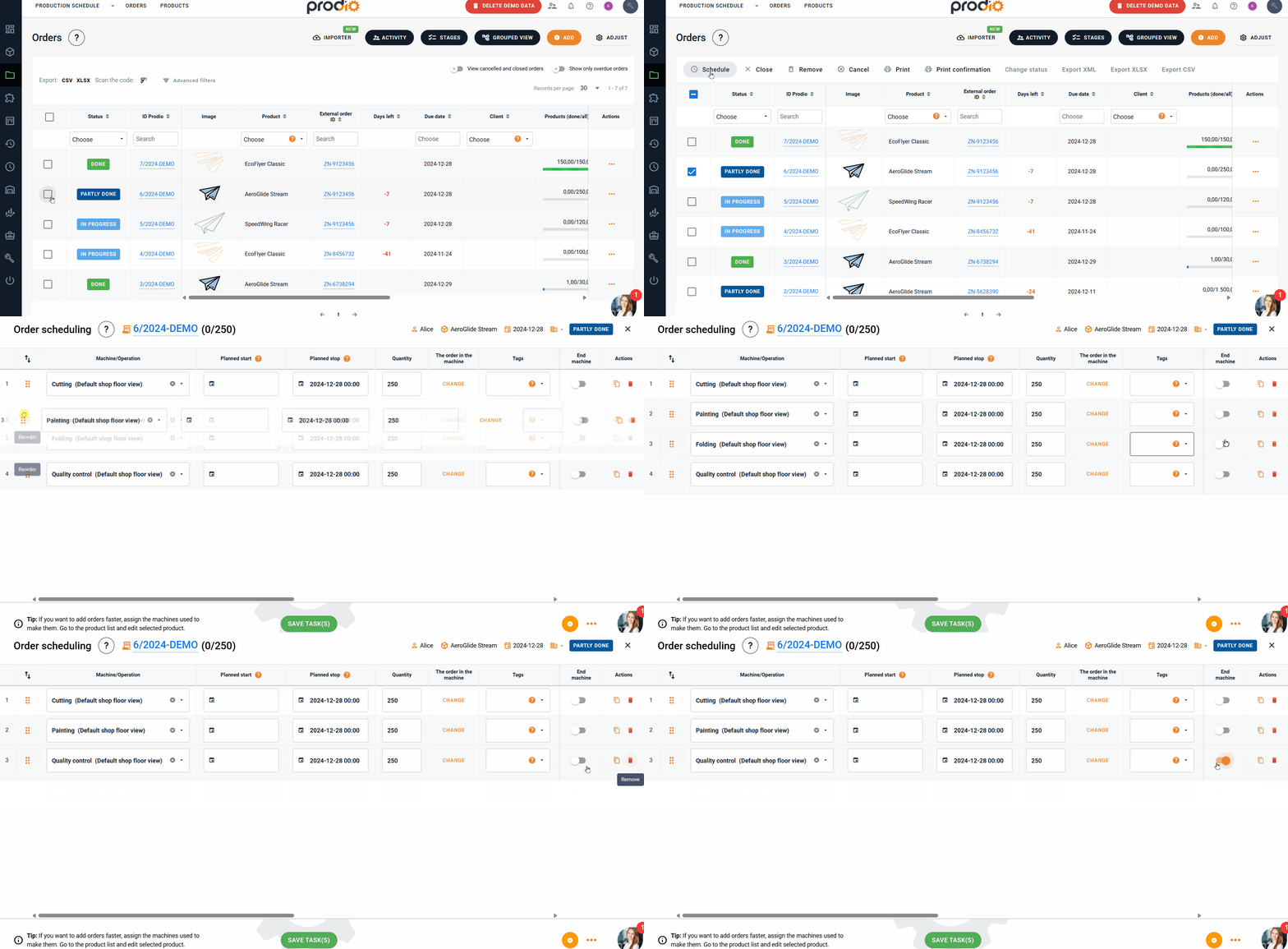
Prefer to Add Products First and Define the Technology Later?
No problem! You can add your products first and complete the production technology afterward.
Simply:
Go to the "Products" tab.
Click the pencil icon next to the product (Edit option).
Go to the "Technology" tab and complete the missing information.
This method is fast and convenient for keeping your data organized and up to date.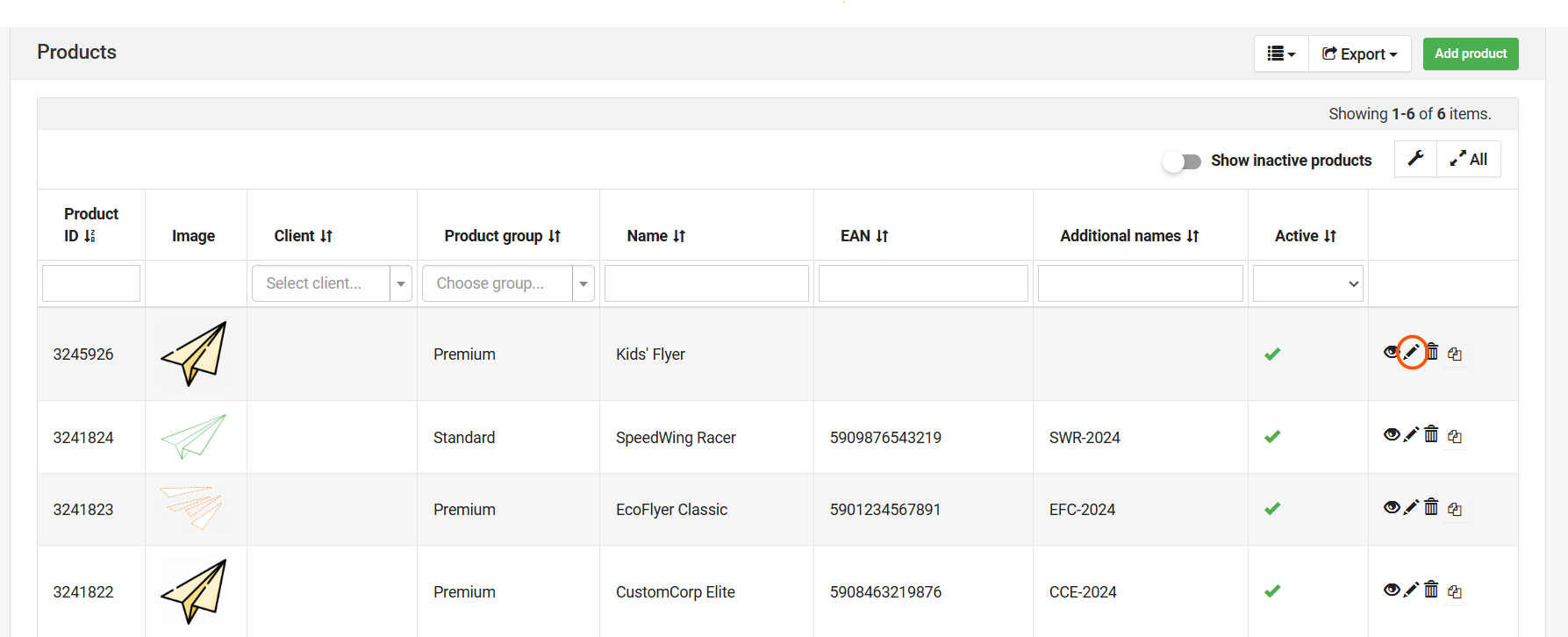
How Does It Simplify Work?
By setting production technology for your products, the system will automatically pull the data when planning an order. This saves you time and reduces the risk of errors since you won’t need to manually input machine and operation details each time.
Routing is the Foundation of a Well-Organized Production Process. Thanks to routing, you maintain order, control, and peace of mind, ensuring that everything runs according to plan. Plus, with the ability to edit at any time, you can adjust the process to meet your needs. And your workers? They have clearly defined tasks and greater convenience while working! 😊
High five 🙋♀️ - team Prodio!
Prodio is a user friendly production planning software for small manufacturers.