
Optimal level and critical level in inventory

We know that raw materials can be quite numerous, so we have introduced a very useful feature. Defining stock thresholds when creating raw materials allows for better control over inventory levels.
HOW DOES IT WORK?
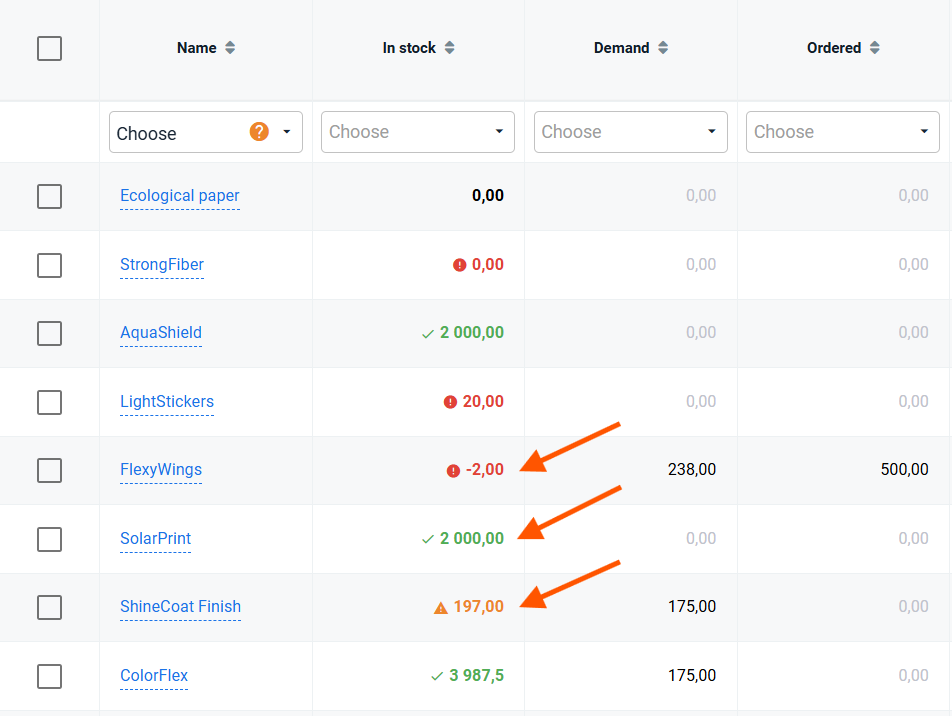
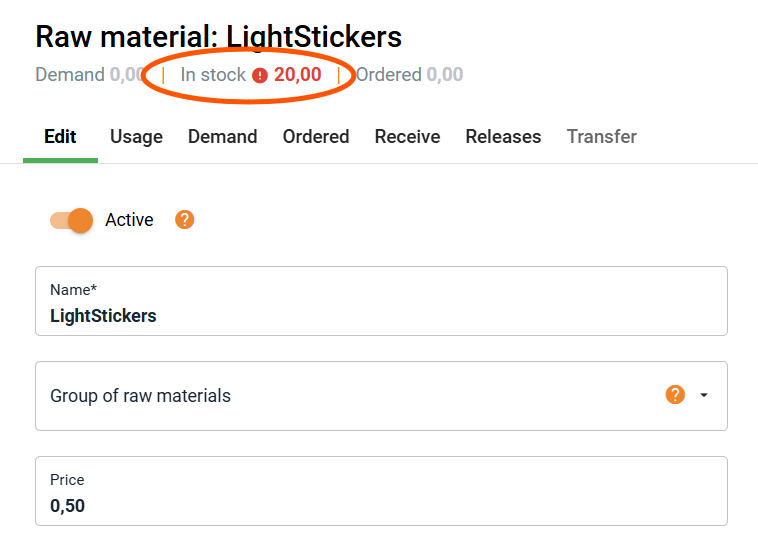
Depending on the raw material's stock level, it is marked with a specific color in the Inventory Levels tab (left menu: Inventory → Inventory Levels → "In Stock" column) and in the header of the raw material tab, accessible from various sections of the application.
The following colors are used:
Green – when the stock level has reached or exceeded the assigned optimal level.
Yellow – when the stock level drops below the optimal level but has not yet reached the critical level.
Red – when the stock level has reached or fallen below the assigned critical level.
Raw materials that are not marked with any of the above colors do not have defined quantity thresholds.
High five 🙋♀️ - team Prodio!
Prodio is a user friendly production planning software for small manufacturers