
Module: User Activity

Track all user actions in Prodio!
What is the "User Activity" Module?
The "User Activity" module is a tool that allows you to track all actions performed by users with managerial permissions in Prodio. It helps you monitor changes and activities in the system, which is especially useful for managing teams and production processes.
This module displays a list of the most recent user actions in the system, such as:
✅ Creating orders.
✅ Planning orders.
✅ Updating order statuses.
✅ Adding extra costs.
✅ New messages from users.
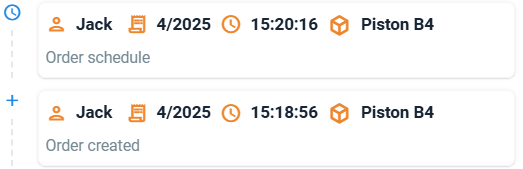
Each action is recorded with precise details, including the date, time, user’s name, and specific action details. The activity history is displayed on a timeline, making it easy to track who made changes and when.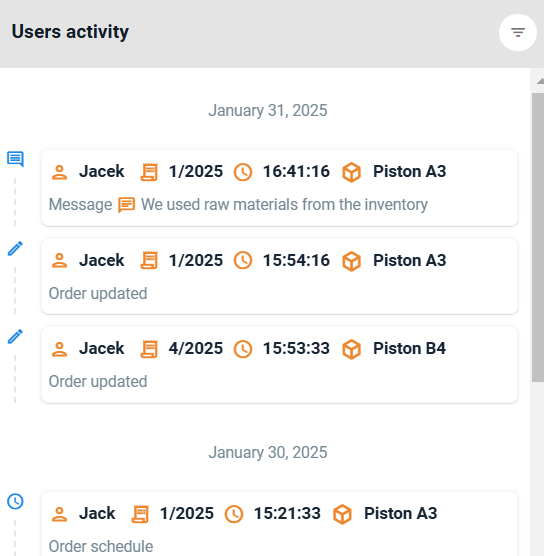
📝 What Data is Displayed?
Each tile in the module contains the following information:
1. User Name – The person responsible for the action.
2. Type of Operation – e.g., "Order Created", "Order Status Updated" to show what action was taken.
3.Timestamp – The exact date and time of the action.
4. Related Product/Order – Details about the specific product or order.
5. Additional Information – Hovering over a tile reveals extra details, such as the full order name, product details, and exact action time.
6. Clicking on any activity tile will take you to the details of the related action or order. From there, you can:
View the full history of changes.
Edit order-related data.
Add additional notes or comments.
🔄 Filtering Data in the "User Activity" Module
The module allows advanced filtering of actions based on:
Type of Action – Select specific actions like "Order Created" or "Order Status Updated".
Who Performed the Action– Check activities performed by a specific user.
Creation Date – Analyze actions within a selected timeframe.
Related Product/Order – Focus on actions linked to a particular product or order.
🔎 Example Use Cases for Filters
➡️ Want to check who planned orders this week? Use the "Action type" filter and select "Order schedule".
➡️ Analyzing changes for a specific product? Use the "Product" filter and select the relevant order.
➡️ Tracking the activity of a single user? Use the "Created by" filter and choose their name.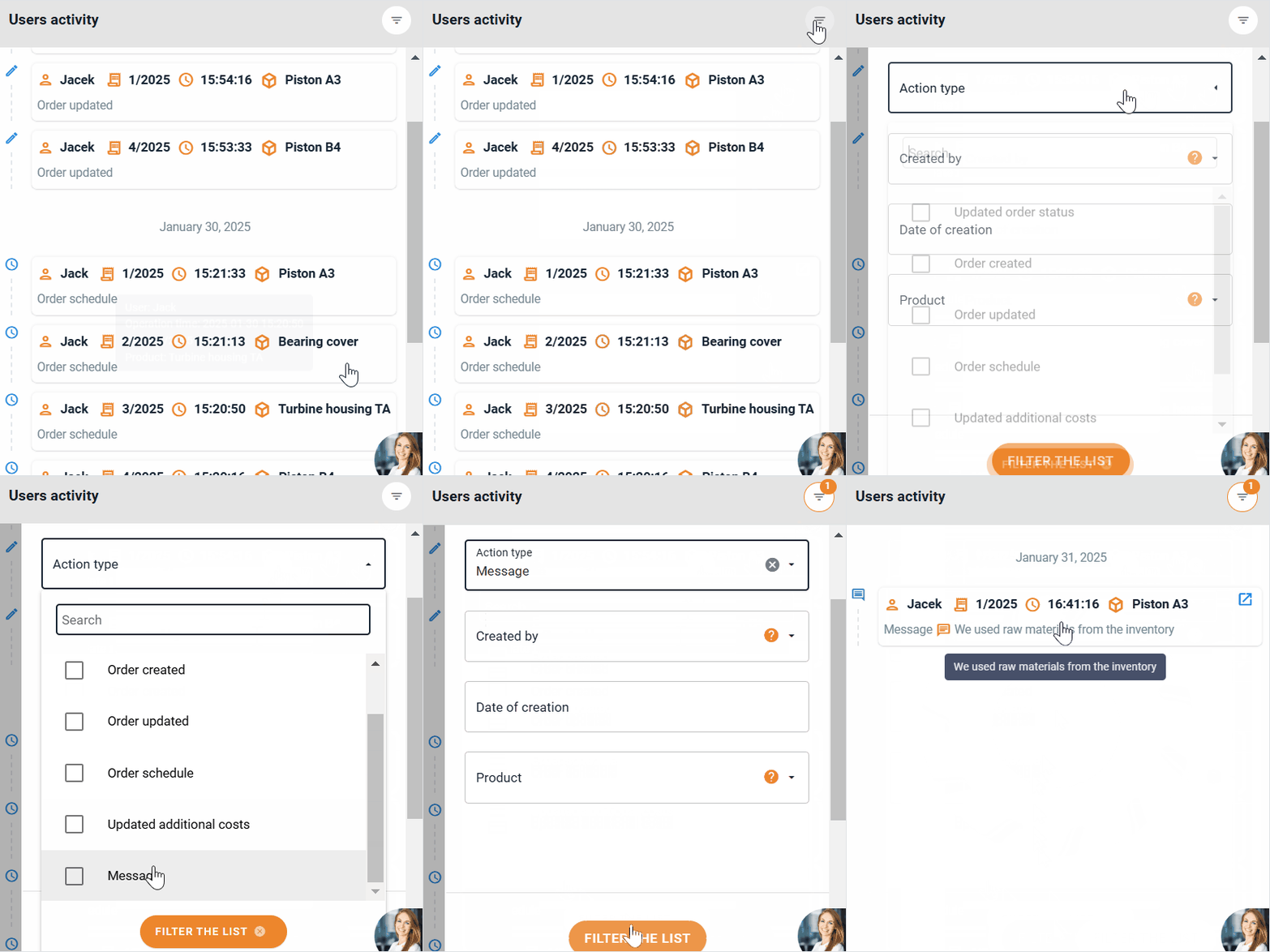
💡 Summary
The "User Activity" module is an essential tool for any manager who wants full control over system actions in Prodio. Regularly analyzing activity logs helps resolve issues faster, improve work planning, and increase overall team efficiency. 😊
High five 🙋♀️ - team Prodio!
Prodio is a user friendly production planning software for small manufacturers