
Module: Machines/Operations

What Can You Find in the Machines/Operations Module?
The Machines/Operations module provides a list of all machines and operations created in the system. It allows you to see all machines in one place, along with their current status and key details.
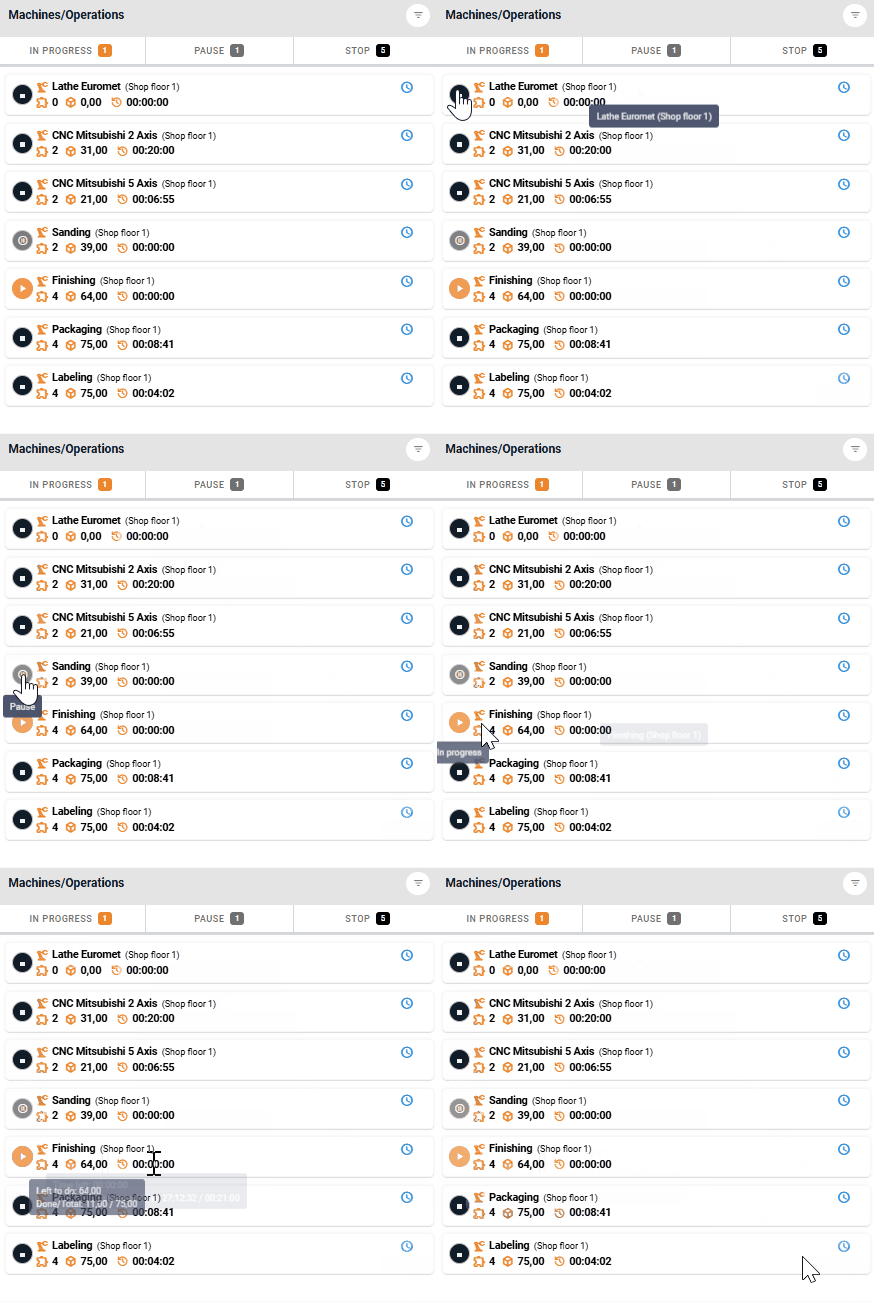
Each tile on the list represents a machine or operation and displays the following information:
Machine status – Indicated by an icon on the left (In Progress, Stop, Pause).
Check-in panel name – The panel where the machine is located.
Number of scheduled jobs assigned to the machine.
Number of products that need to be manufactured.
Estimated time required to complete all planned operations.
🔍 Filtering and Sorting Options
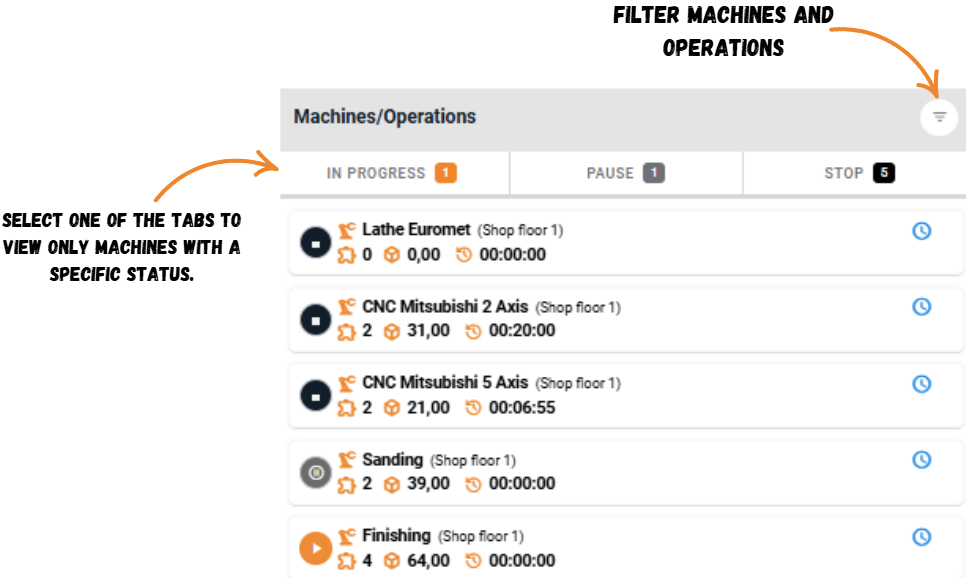
To make managing your machines and operations list easier, we have included several filtering and sorting features:
Tabs for filtering by machine status – Machines can be grouped based on their status, with a count displayed next to each tab.
Filtering by shop floor view – Limit the view to machines assigned to a specific panel.
Option to display machines without manufacturing tasks – Quickly check which machines are currently not in use.
🔄 Rescheduling Production Orders
From this module, you can also reschedule manufacturing tasks assigned to a specific machine. Simply click the blue clock icon on the tile to view the full list of tasks. You can then rearrange the order of tasks by dragging the dots on the left. These changes will be instantly reflected in the production schedule.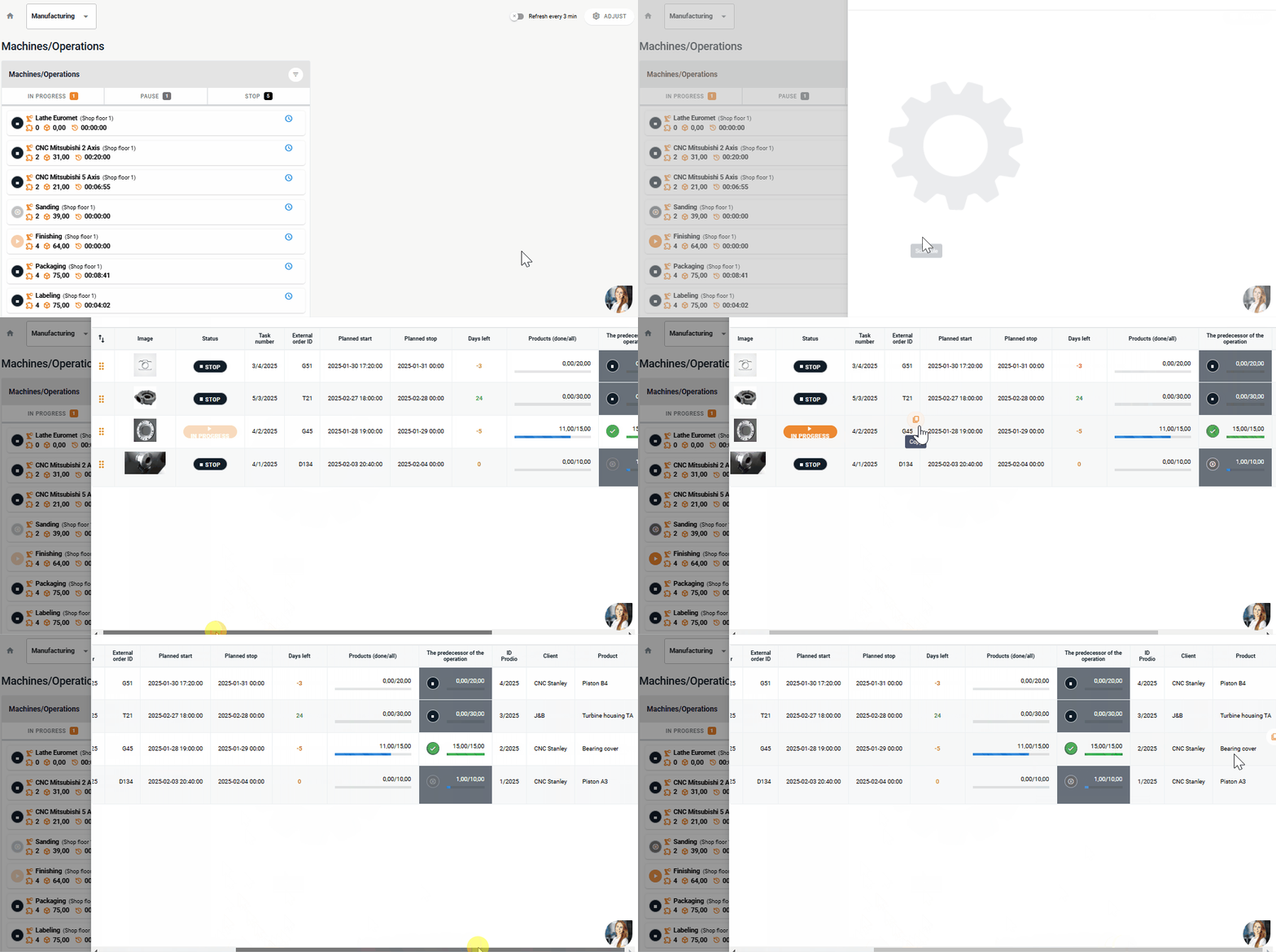
High five 🙋♀️ - team Prodio!
Prodio is a user friendly production planning software for small manufacturers