
Module: Exceeded Estimated Time

Quickly check which orders took longer than planned!
The "Exceeded Estimated Time" module in Prodio allows you to monitor manufacturing tasks, where the planned execution time has been exceeded. This enables quick responses, root cause analysis, and production process optimization.
What Information Does the Module Provide?
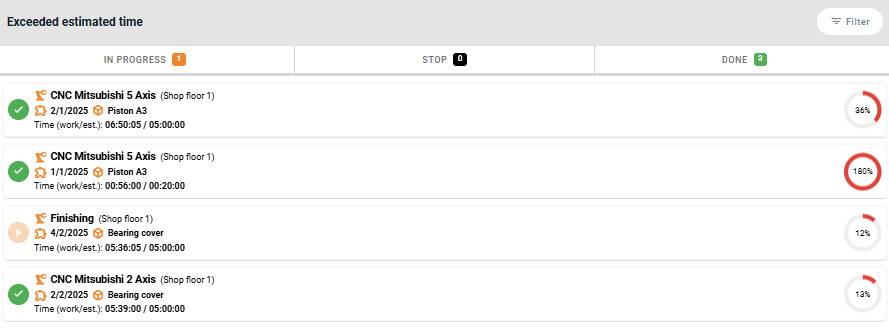
Each tile in the module represents a manufacturing task, displaying key details:
Exceeded time percentage – Shows how much the planned time was exceeded.
Order status, which can be:
In progress – If the time deviation is large, it might mean the operator forgot to clock out and close the order.
Done – Finished despite exceeding the estimated time.
Stop – Order was manually halted.
Machine and shop floor view where the order is being processed.
Manufacturing task number.
Product name.
Work time vs. planned time – Comparison of actual time spent versus planned time.
🔍 Order Details and Actions
Clicking on a tile takes the user to the detailed manufacturing task view, where they can:
✔️ Edit the task, for example, by adjusting the estimated time.
✔️ Review work history to investigate potential reasons for the delay.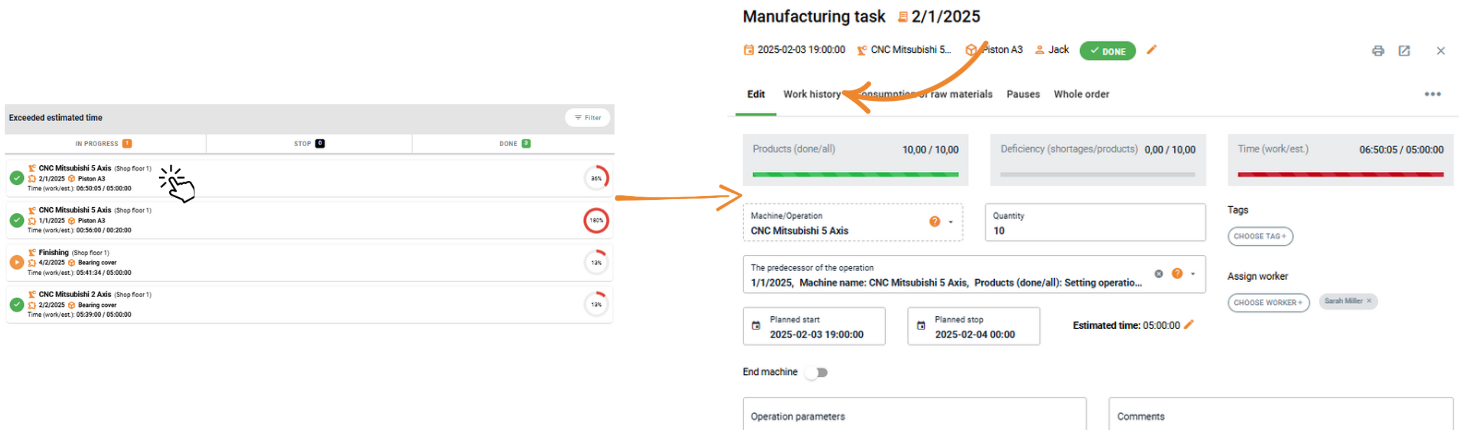
🔄 Filtering and Status
To facilitate tasks management and analysis, the module includes:
📌 Status Tabs – Tasks can be categorized by their current status.
📌 Filters – Narrow down results based on: Shop floor view, Machine/Operation, Product.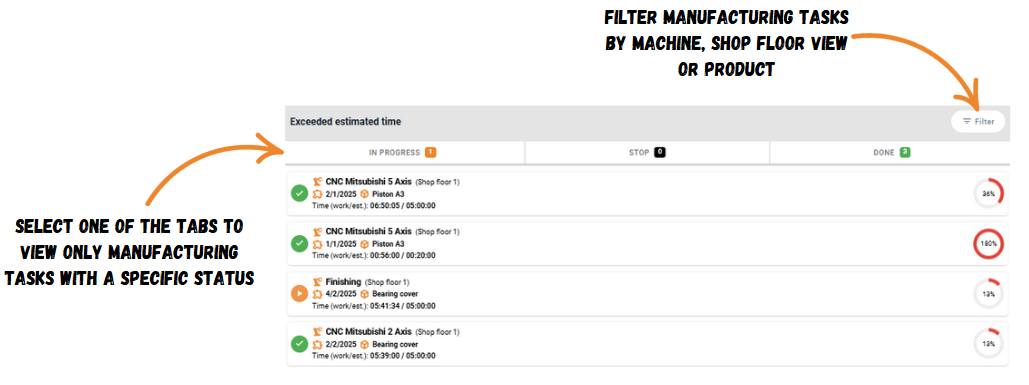
The "Exceeded Estimated Time" module helps control delays, optimize processes, and eliminate scheduling errors to improve production efficiency.
High five 🙋♀️ - team Prodio!
Prodio is a user friendly production planning software for small manufacturers