
How to deactivate a worker in the system?

Written by Oliwia Chłąd
In this article, you will learn how to deactivate a worker in Prodio once they have finished their journey with the company.
There is a limited number of workers in Prodio, depending on which plan you bought.
A worker cannot be deleted from the system because their actions are recorded in the work history, and deleting them could compromise data integrity and prevent referencing past actions😉
You can, however, deactivate them and thus make room for a new worker!
How to do that?
Go to Settings -> Workers: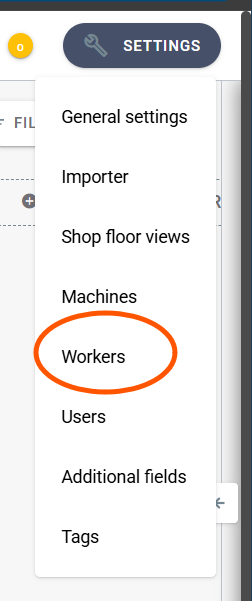
Next, click the edit option next to the worker you want to deactivate.
and disable the "Active" option.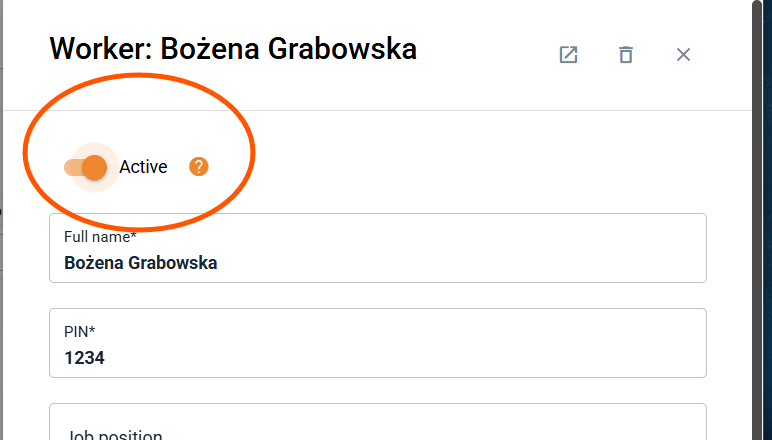
This way, we have deactivated the worker who no longer works for us and made room for a new one! 😀
Piąteczka 🙋♀️ - ekipa Prodio!