
How to Log in to the Attendance Panel?

We'll show you how to see what your employees see!
You might be wondering how to log in to the production plan for your employees. Luckily, it's nothing complicated :)! First, it's worth checking the login details. You can do this in two ways:
♦️ In the email you received from us right after registering your account, you'll find your login details. As you can see, the password is a mix of random letters and numbers, so below we'll also show you how to change it to something more user-friendly.
♦️ Go to the "Settings" tab in the side menu, then click the Attendance Panels option.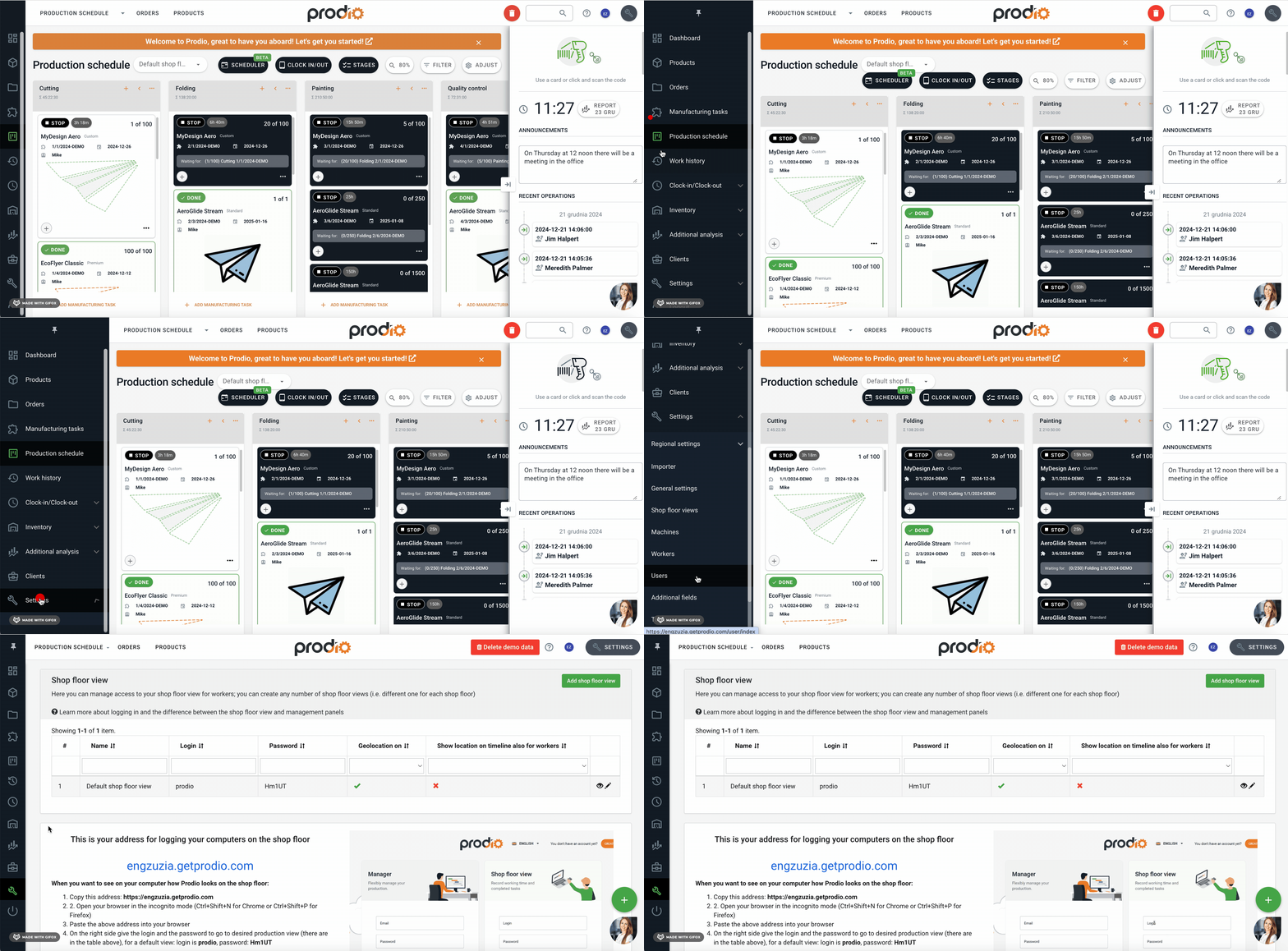
Here, you can view your login details and make them more user-friendly by clicking the pencil icon – Edit. :)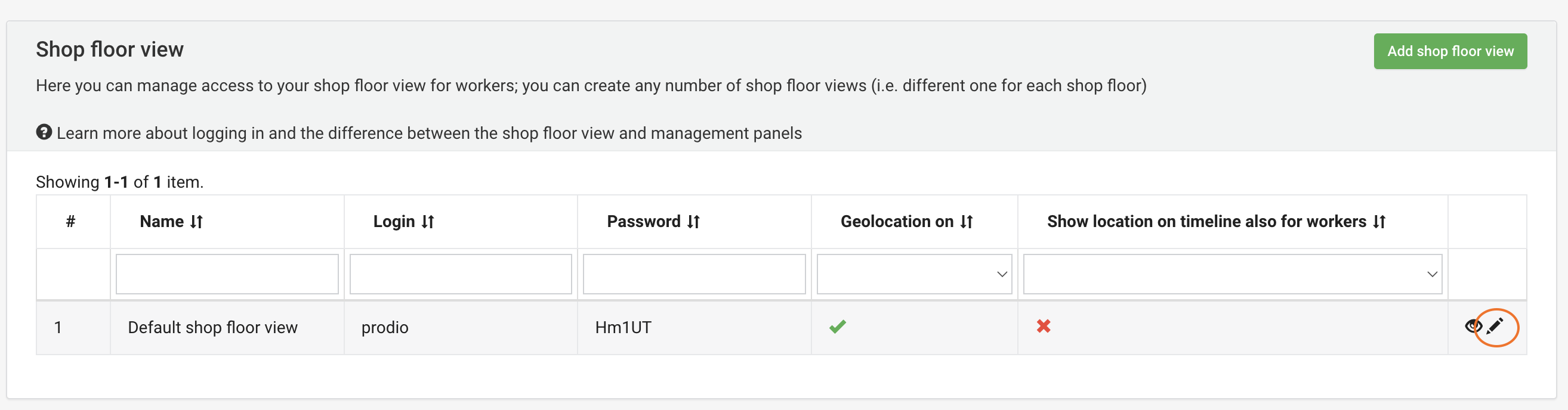
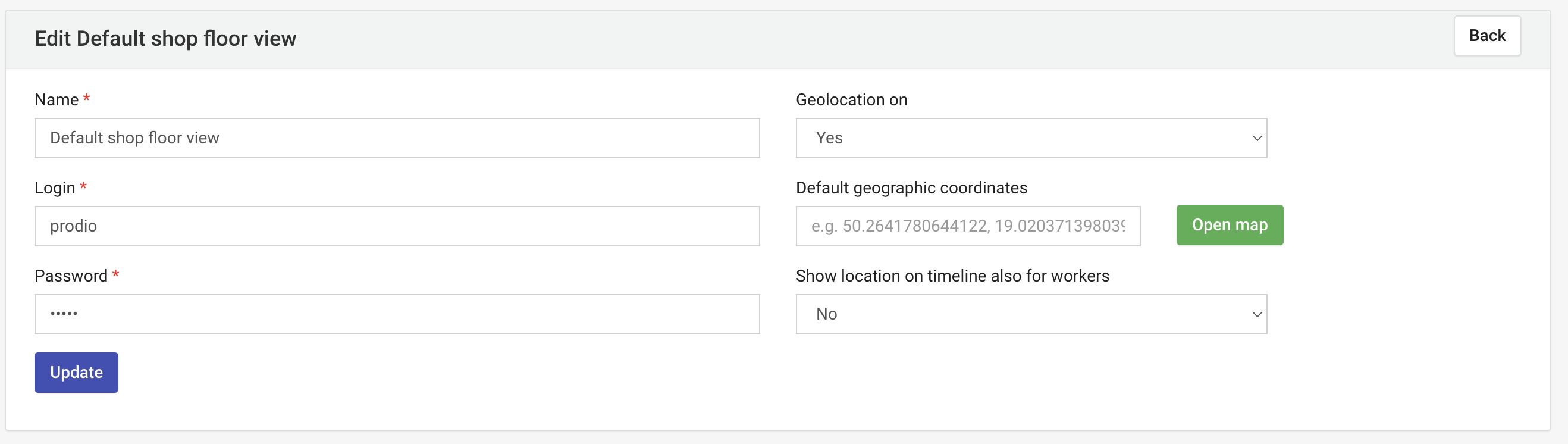
Now you know your login details. Time for the next step! :)
In a different browser than the one you're currently using, or in an incognito tab, type your-subdomain.getprodio.com into the address bar. Of course, replace "your-subdomain" with the name of your account provided during registration. :)
Now, two login windows will appear.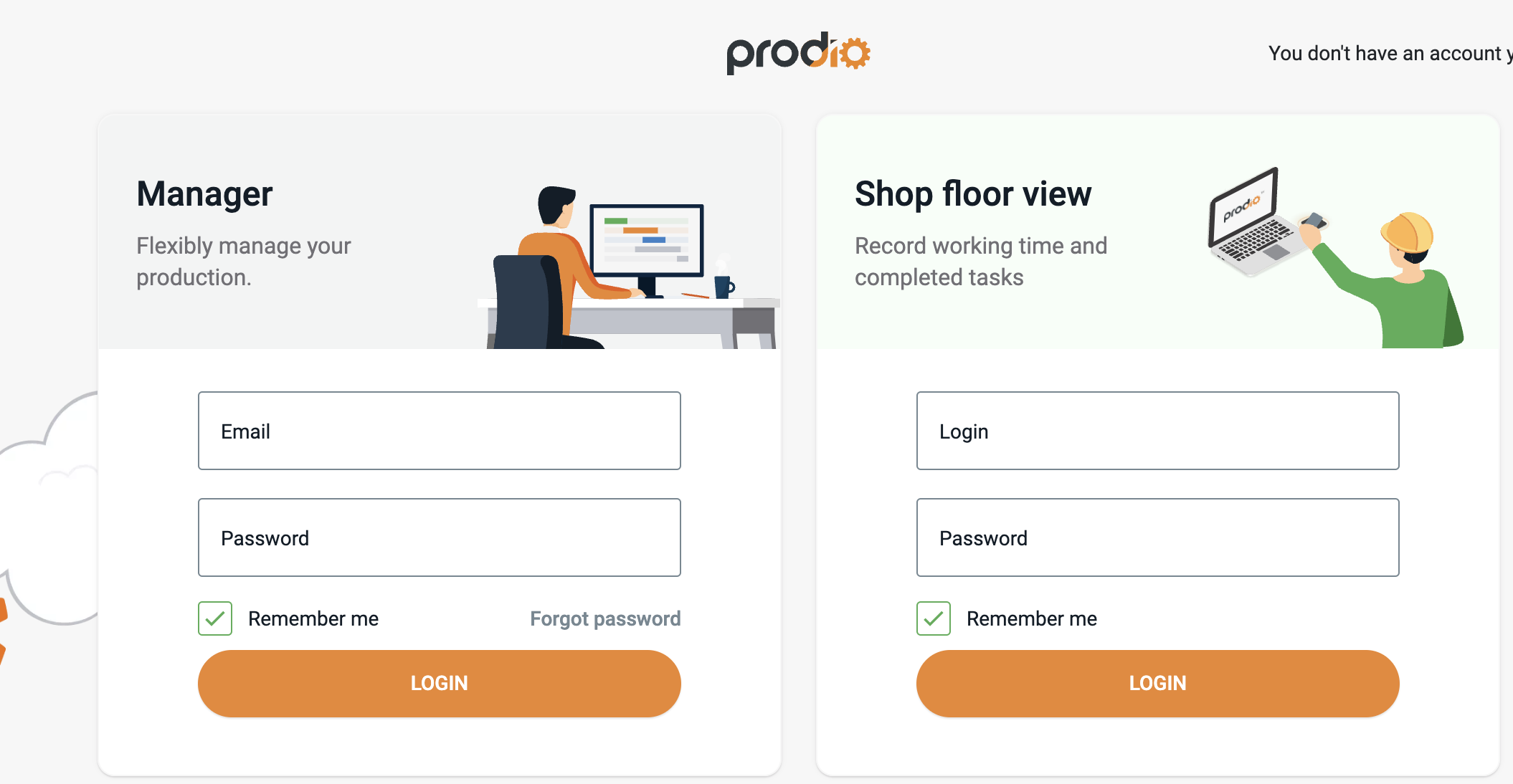
Enter the above login details on the right side in the Attendance Panel field, and you're all set! :)
High five! 🙋♀️ – The Prodio Team
Prodio – The most convenient way to plan production and monitor work online.