
How to Generate Barcodes/QR Codes for Workers?

In this article, you’ll learn how to generate barcodes or QR codes for your employees.
Recording work time can be fast and easy! ✨
Employees can clock in and out in many ways: with a PIN, barcodes, QR codes or RFID tags.
In this article, you will learn how to use barcodes and QR codes to make the whole process smoother.
How to prepare codes for workers? 🔍
If you’ve already added your employees in Settings → Workers, then you’re ready to go!
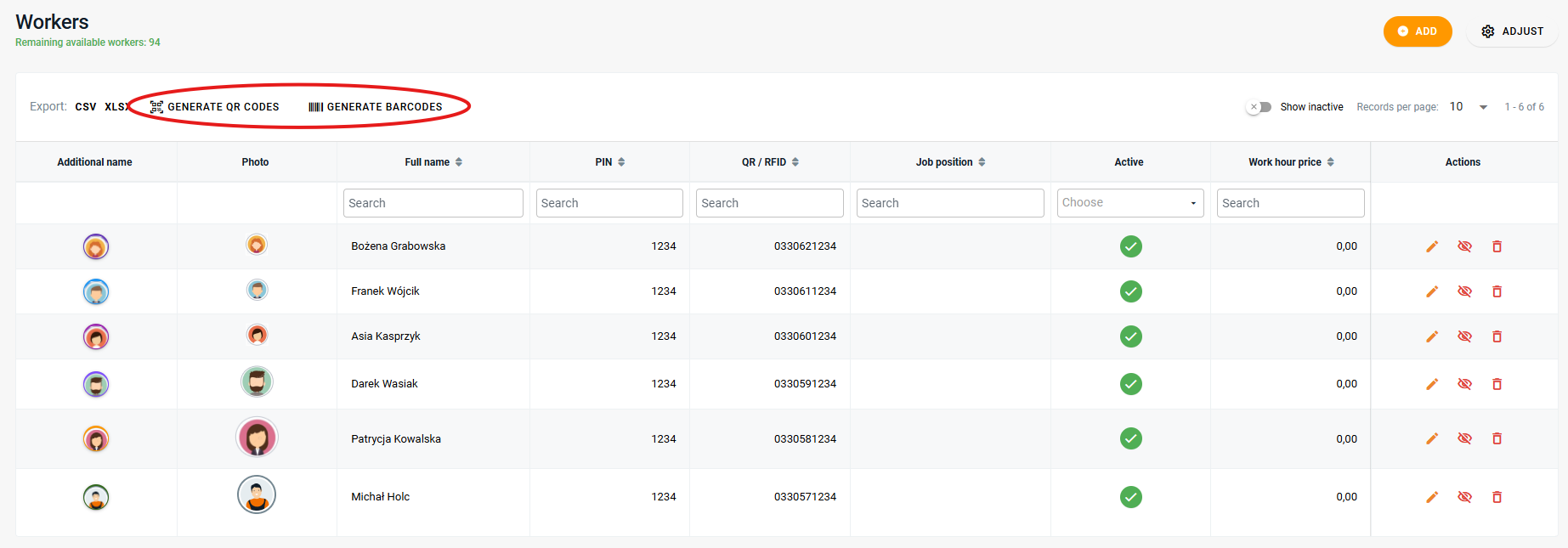
There you’ll find a list of all your workers. Above the list, you’ll see two buttons:
Generate barcodes 📏
Generate QR codes 🔐
Step-by-step guide 🔹
Go to Settings → Workers
Click Generate barcodes or Generate QR codes
A print preview will appear – each worker will get their own unique barcode or QR code 📈
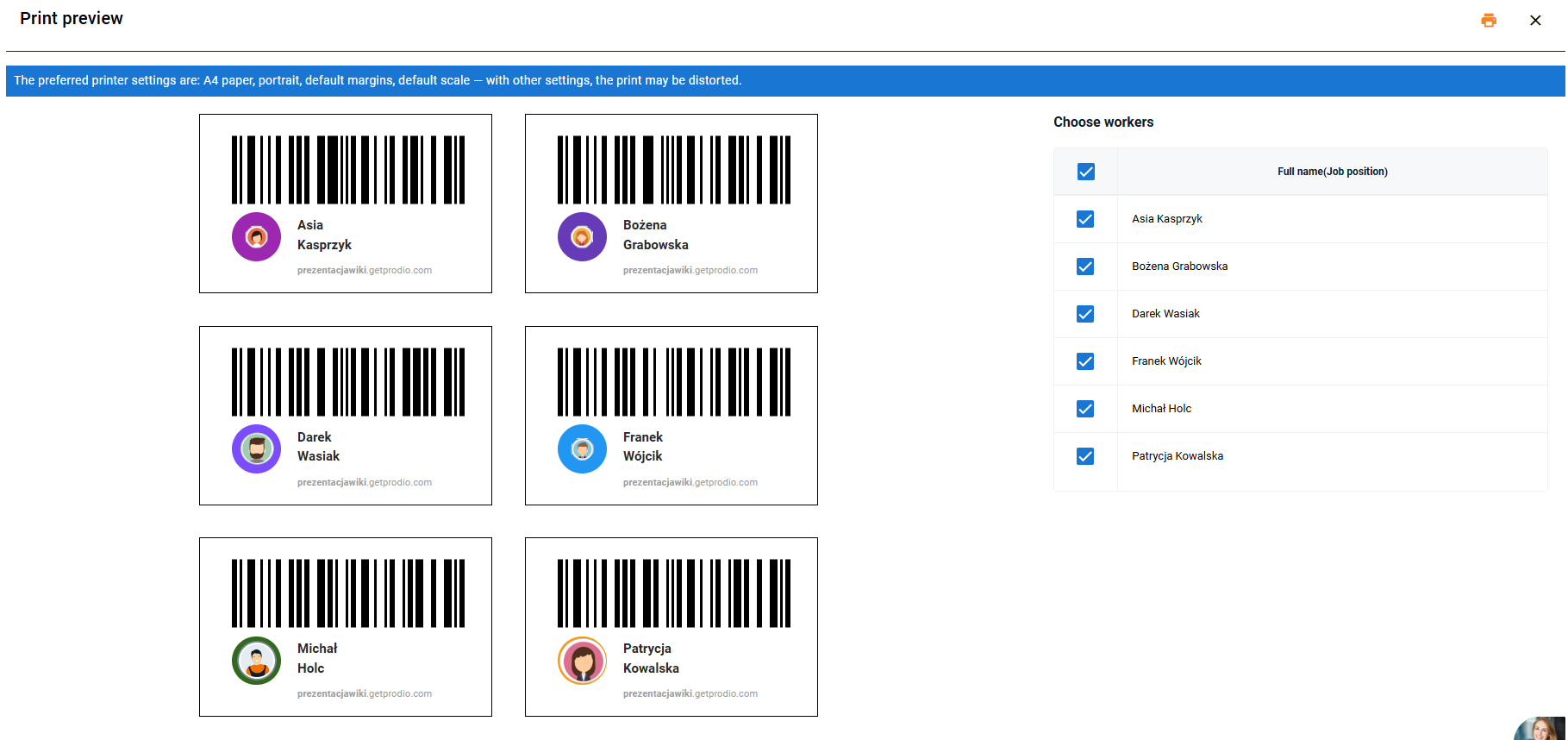
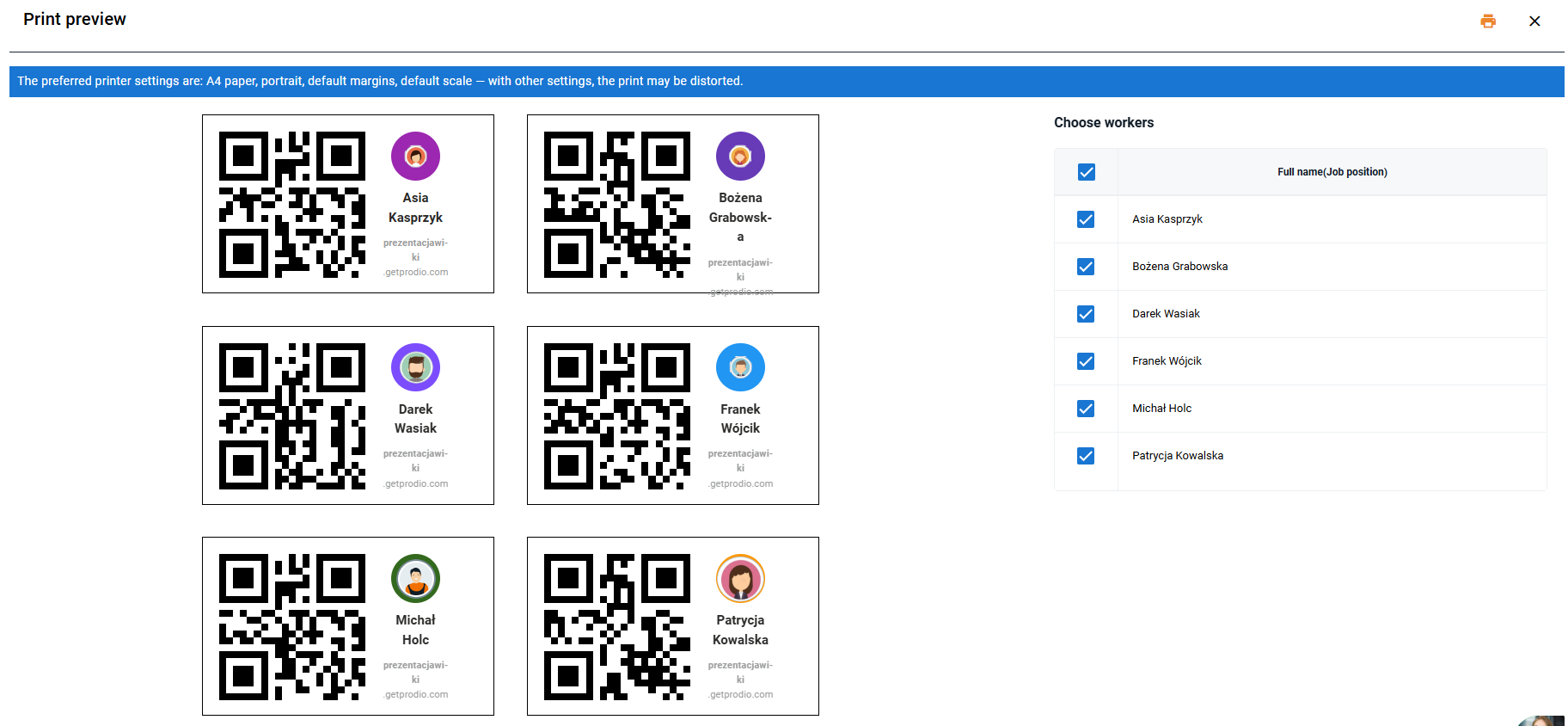
Print the codes - on the right you can check for which persons you need to prepare right now and hand them out to your employees 🗃️
How can workers use the codes? 🔑
Barcode: Just scan it using a scanner connected to a computer 🔎
QR code: It can be scanned using a webcam on a computer
Summary 💡
Barcodes and QR codes are a great way to register work time.
It only takes a moment to generate them, and your team will have an easy tool for their daily tasks.
Go to Settings → Workers and give it a try today! 🙌
High five 🙋♀️ - team Prodio!
Prodio is a user friendly production planning software for small manufacturers