
How to Change the App Language for a User with Manager Permissions?

Written by Magda Nawrot
If you want to display the app in a different language, here's how to do it!
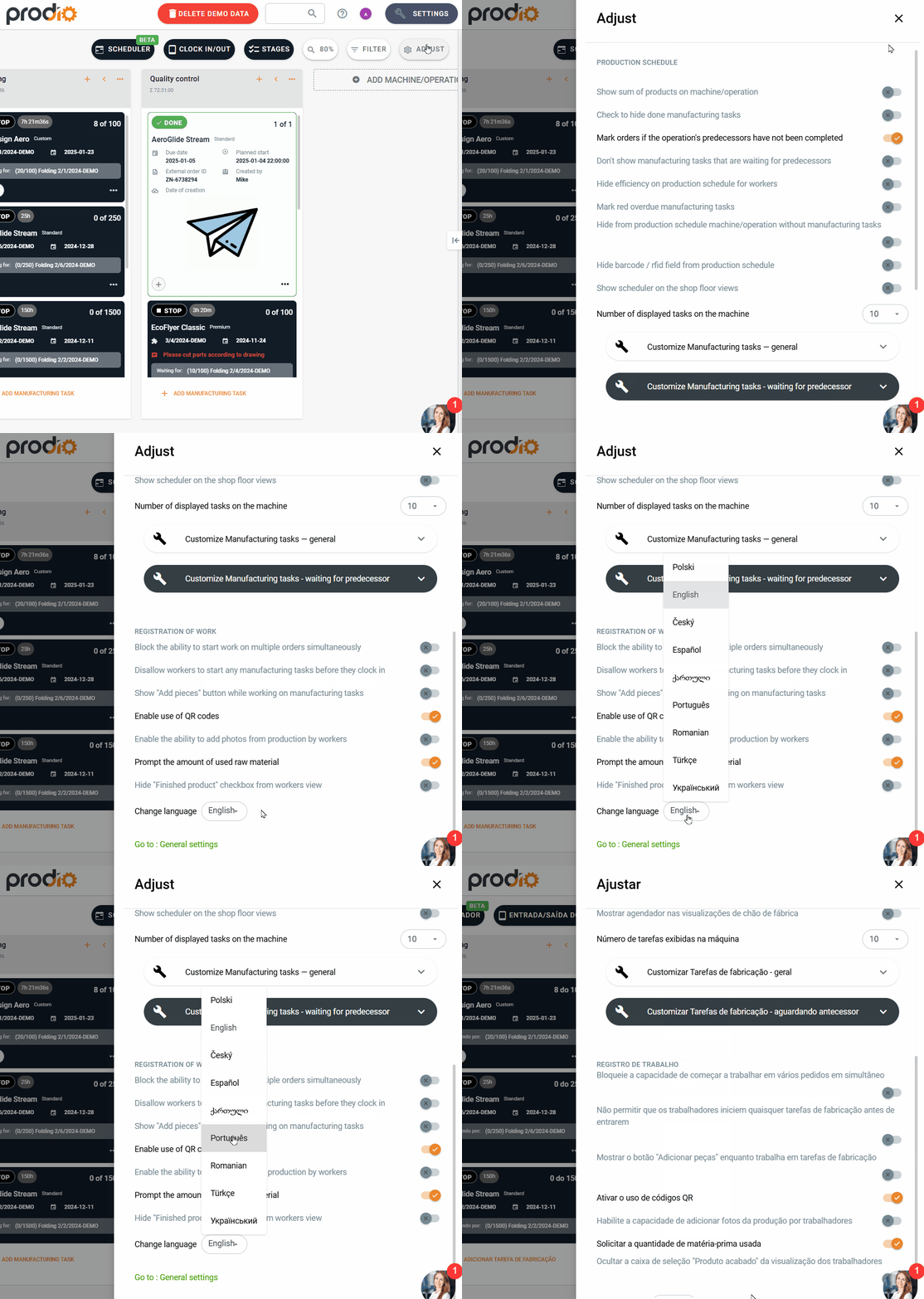
Log in to the manager panel – your login is your email address and the password is the one you set during registration or when adding a new user to the app.
On the production schedule, click Adjust in the top-right corner.
Scroll down to the bottom of the list and, under the Change Language option, select the language you want to display your profile in.
High five 🙋♀️ - team Prodio!
Prodio is a user friendly production planning software for small manufacturers