
How to assign production norm in technology?

Do you want to learn about the benefits of assigning norms in product technology and how to set them up? Take a look below!
How to set it up?
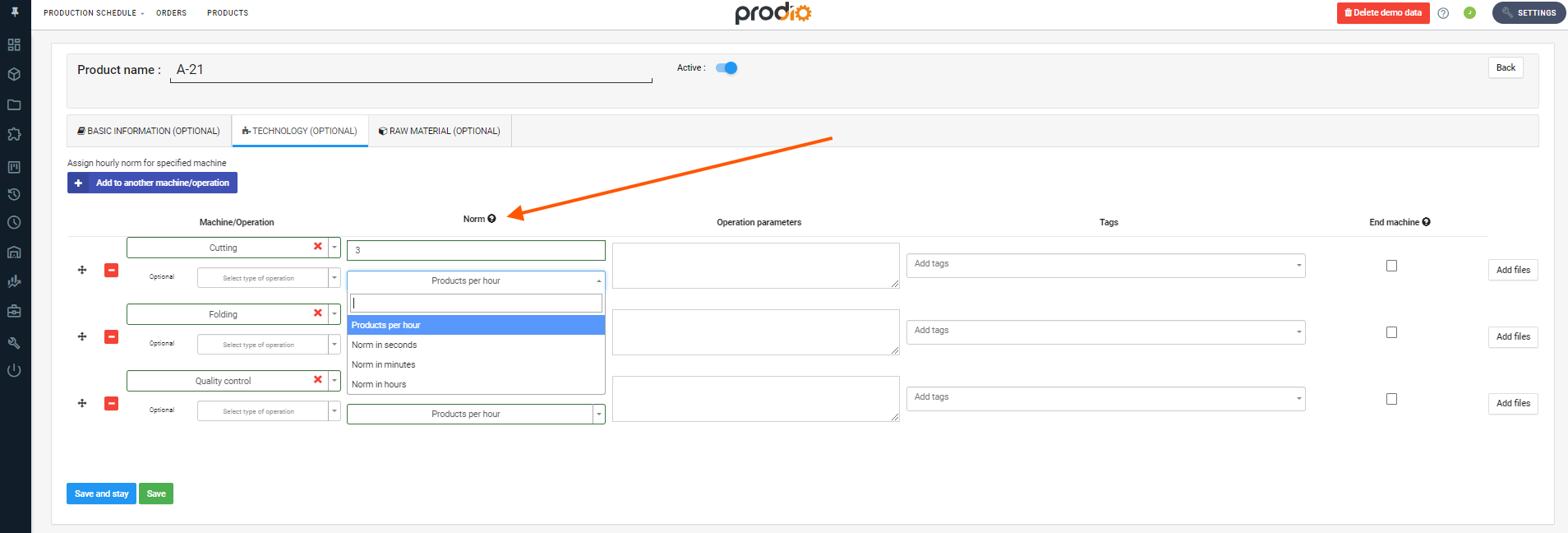
Performance standards can be assigned in the product creation/edit form. Go to the Product Card and navigate to the Product Technology tab. There, select the machine, type of operation, and then set the performance standard in the chosen time unit. The entered numerical value specifies the number of seconds/minutes/hours that a production stage takes for a single unit.
Why should I set this up/use it?
The first benefit is that the system calculates the planned start date by multiplying the performance standard by the order quantity.
The "Planned Start" field is automatically filled based on this data, but it can be manually adjusted later if needed.

Another benefit of assigning standards is the ability to assess the efficiency of your employees on a given order. Go to the Work History section, where you'll find the "Efficiency" column.
#Tips
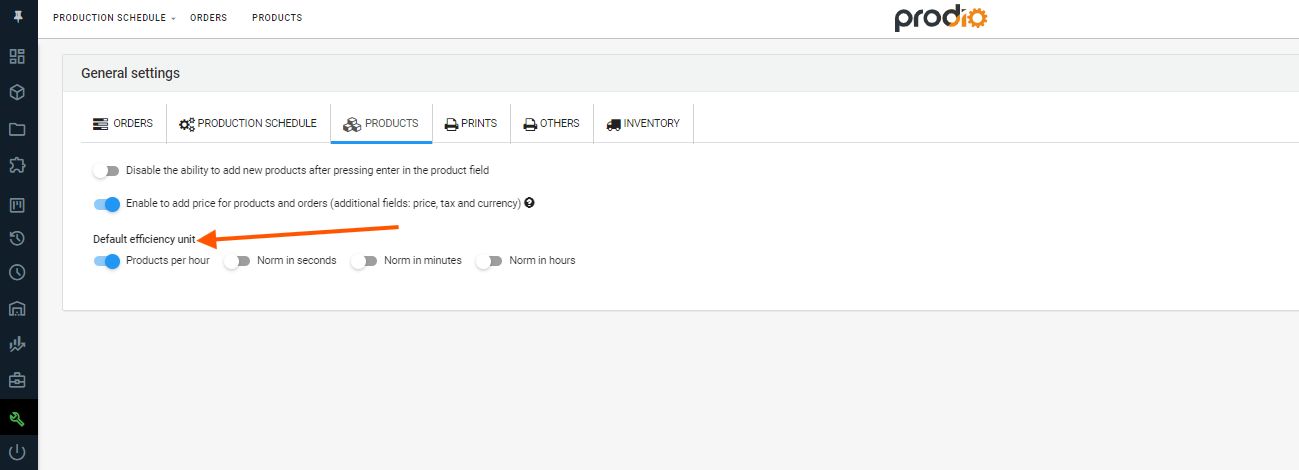
If your company frequently uses a specific performance standard, it’s a good idea to set it as the default. To do this, go to Settings via the left menu, then General Settings. In the Products tab, you’ll find "Default Efficiency Unit" – choose the best option for your needs there.
FREQUENTLY ASKED QUESTIONS
What if I need to change the product standard – the time to complete the order – in a specific case?
When planning an order, you can manually edit the "Estimated Time" calculated based on the performance standard.
High five 🙋♀️ - team Prodio!
Prodio is a user friendly production planning software for small manufacturers.