
How to Add Machines/Operations?

-
In this article, you’ll learn what machines/operations are and how to add them in the program.
What Are Machines/Operations in the Program and How to Add Them? 🤔
Machines and operations are essential elements that help organize production within the system. They allow you to clearly define which stage of production each order is at and what actions are required. In short, they act as "checkpoints" in the production process. 🛠️
How to Add a Machine or Operation?
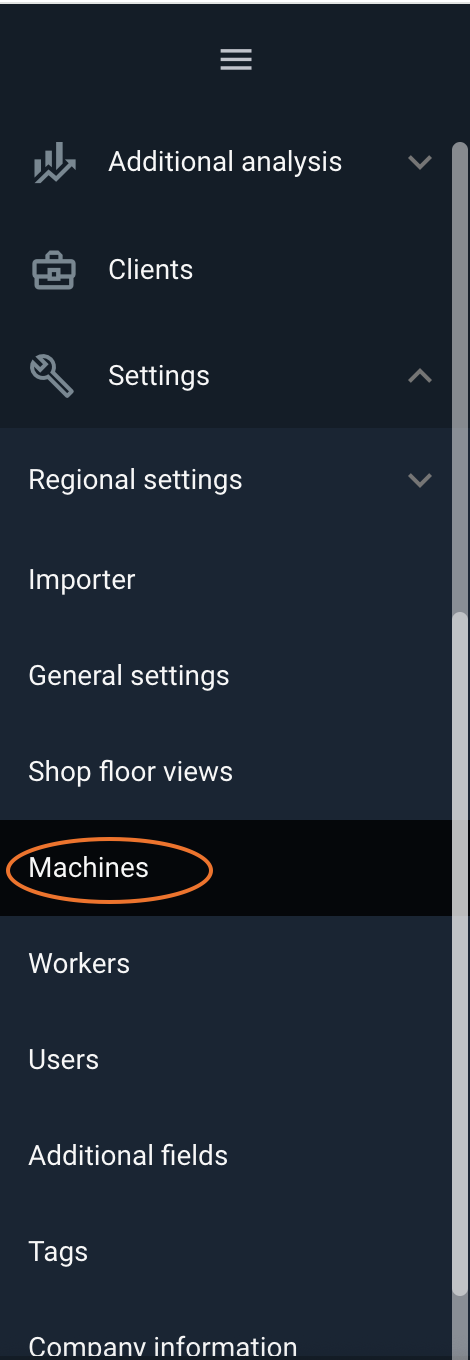
Adding machines and operations is very simple. Just go to "Settings" → "Machines/Operations", and then click the "Add Machine/Operation" button.

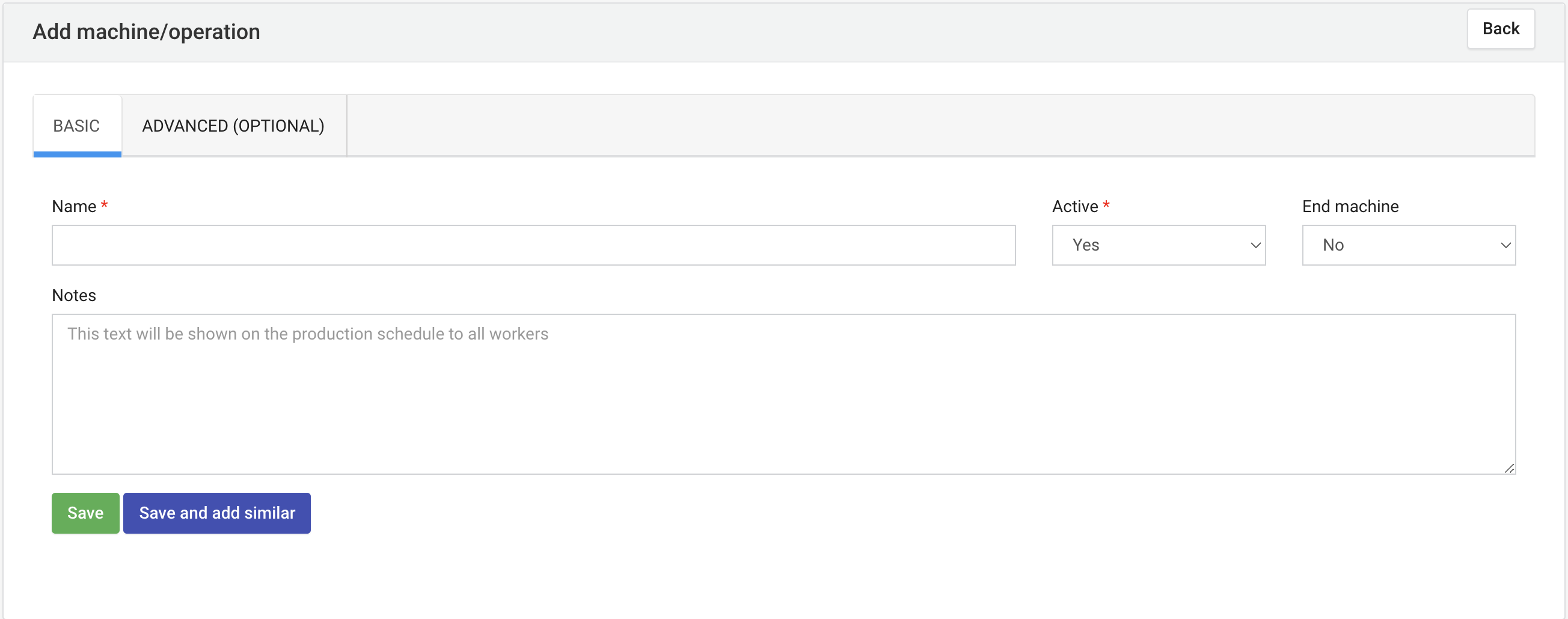
At this stage, you need to fill in a few basic details:
Reporting Panel – Decide which panel the machine/operation should be displayed on.
Name – For example, "Milling Machine" or "Quality Control."
Final Machine – Indicate if this is the final machine. This is important because when an employee finishes work on it, the order is automatically moved to the "Orders" tab with the status "Ready".
Notes – Add additional information that may be useful, such as details about operation or maintenance.
Activity – Specify whether the machine/operation is active.
👉 If a machine has been used in the past and is recorded in the work history, you cannot delete it completely from the system. However, you can deactivate it so it no longer appears in the production plan. Simply set "Active" to "No" in the settings.
Advanced Options – For More Detailed Data
Machines and operations can be described in even greater detail, but this information is optional.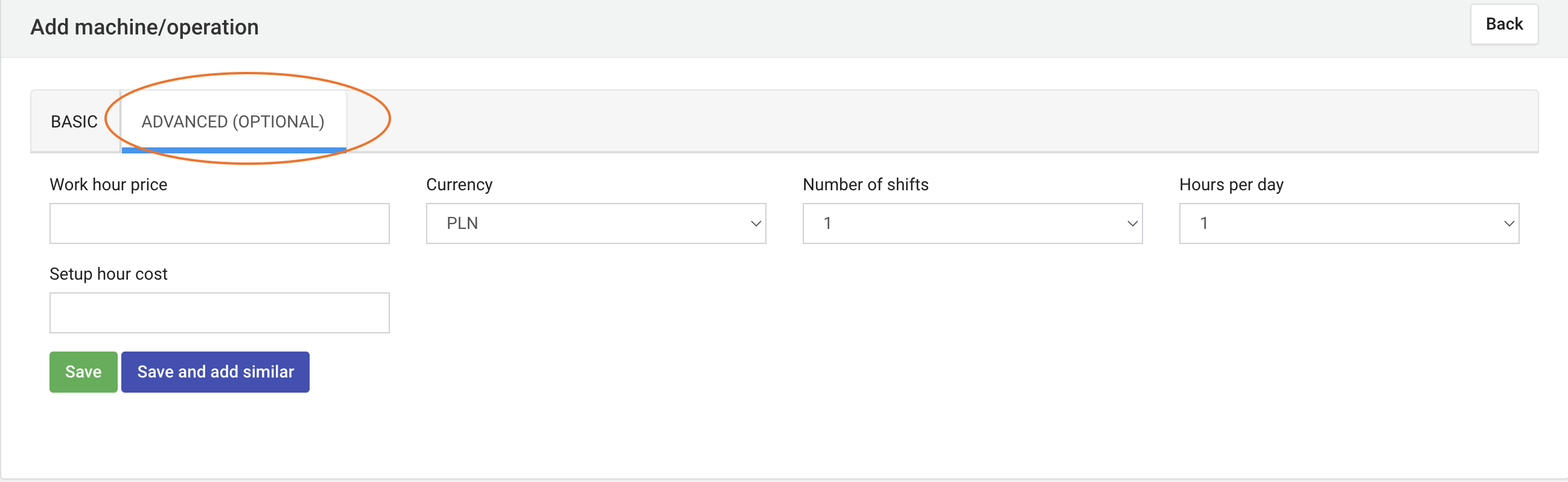
If you want, you can add:
Hourly labor cost – The cost of one hour of work on this machine.
Currency – The currency in which you calculate costs.
Number of shifts and daily hours – How many hours the machine can operate in a day.
Setup hourly labor cost – For example, additional costs for preparing the machine before starting work.
These options allow you to better control production costs and efficiently plan work.
Saving Data
After filling in the details, simply click "Save" to add the machine/operation to the system.
If you'd like to immediately add another machine or operation, you can use the "Save and Add Similar" option. This makes the process easier, especially when adding similar machines.
Machines and Operations: The Foundation of Well-Organized Production
Thanks to machines and operations, you know exactly what’s happening on the shop floor, and employees have clear instructions on what to do and where. Additionally, you can track costs, working hours, and efficiency, making it easier to manage the entire process. 🚀😊
High five 🙋♀️ – The Prodio Team!
Prodio – The most convenient way to plan production and control work online.