
How to Add a Raw Material to Prodio?

Here, you'll learn how to create your raw materials database.
You can add a new raw material from several areas within the program:
The primary method is through the Raw Materials tab located in the Inventory section. Enter this tab and go to the top right corner of the screen, where you’ll find the Add button. Click it. A panel will slide out from the right side where you need to fill in at least the Name field. The remaining fields are optional. The more fields you complete, the better, as Prodio will automatically pull this data into other areas of the application, making your work easier and faster. 😊
A helpful feature that will assist you in controlling stock levels is filling out the stock levels in the raw material creation form.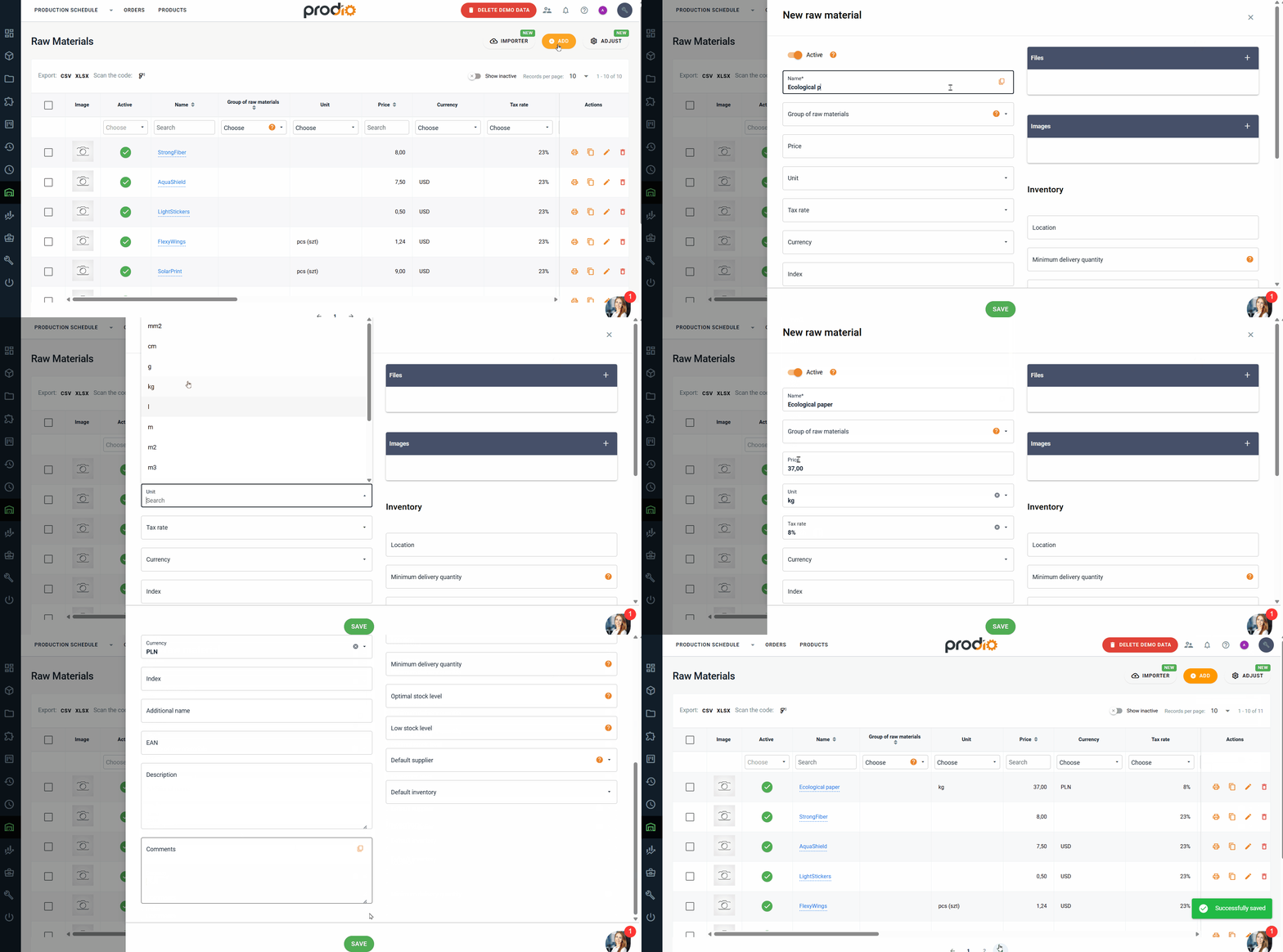
The second method to add a new raw material is through the Add/Edit Product form. Go to the Products tab, then click the Add Product button in the top right corner. In the form, go to the Raw Materials tab and click the Add New Raw Material button. In the form that appears, you must also fill in at least the Name field.

High five 🙋♀️ - team Prodio!
Prodio is a user friendly production planning software for small manufacturers