
How Do QR Codes Work in the App? 👨💻

Along with PINs, barcodes, RFID fobs, and NFC, QR codes are another way to speed up clocking in/out and registering work on tasks in Prodio. 🚶
The advantage of this method is that the program provides a ready-to-use QR code generator, and you can print these codes yourself. Check out how to generate QR codes.
To activate QR code support, go to Settings → General Settings → Production Schedule and enable the option shown below:
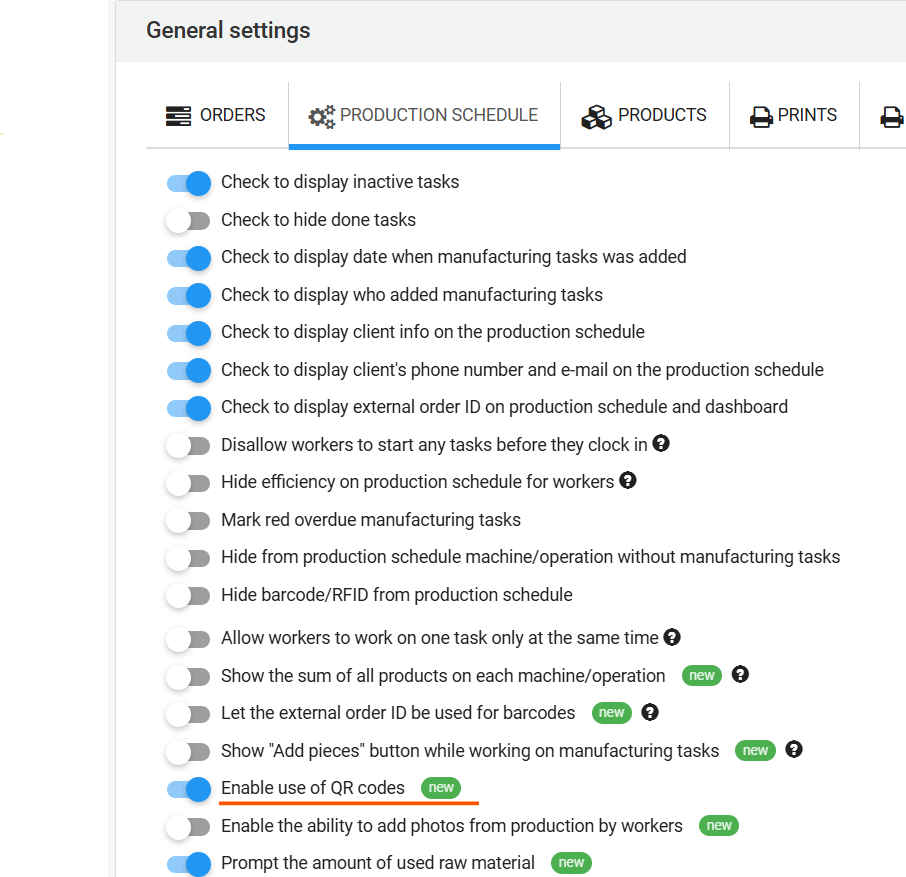
Now, simply present your QR code to the camera on the device using Prodio, either during clocking in/out or when registering work on manufacturing tasks.
For example, to register the start of work on a task (the process is similar for other actions), click the icon in the top right corner: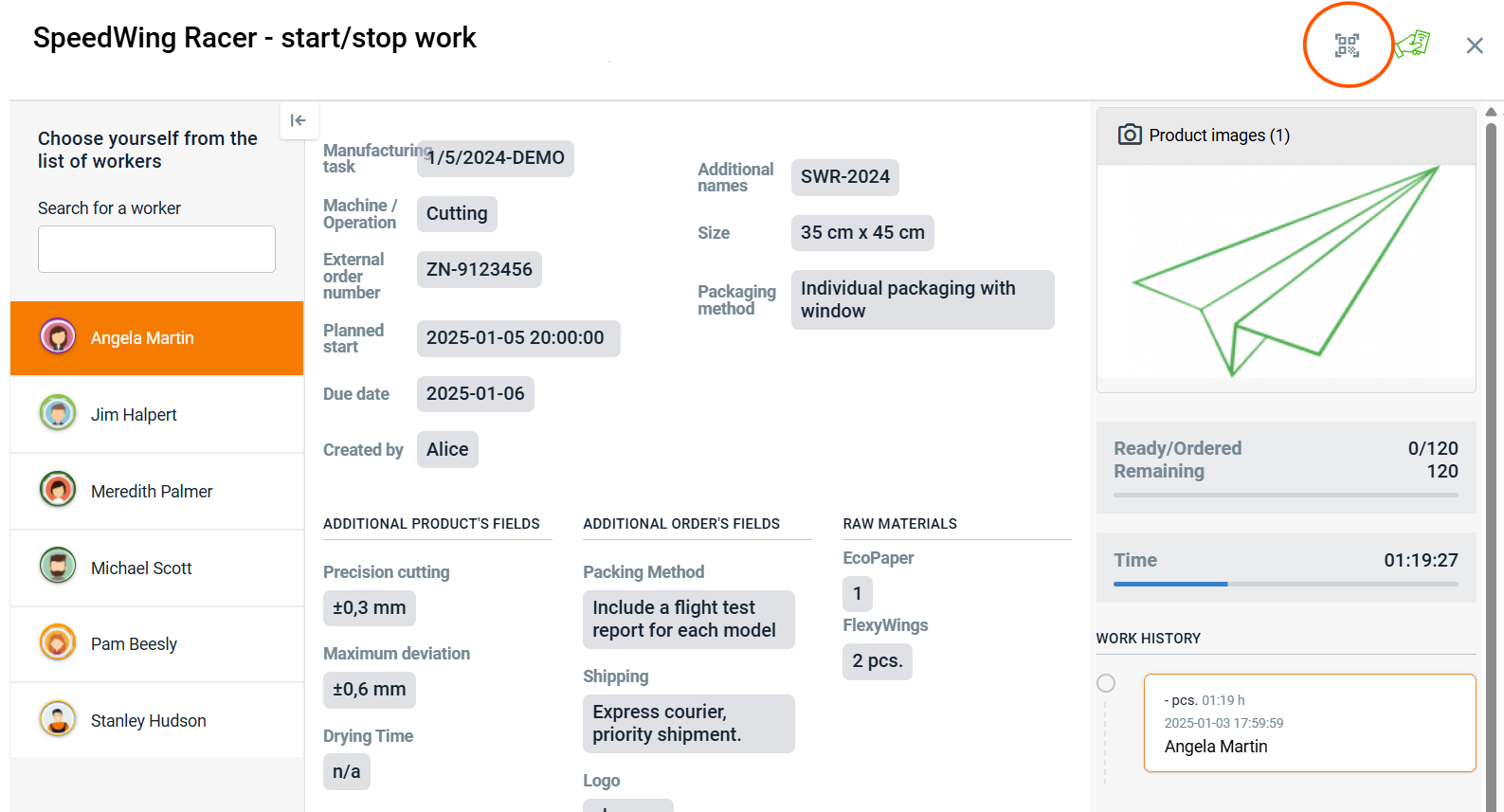
❗The browser may ask if you want to allow camera access, so click "Yes". ❗
A small window will appear in the bottom right corner. Next, bring the QR code close to the camera, and you're all set! 😀
High five 🙋♀️ - team Prodio!
Prodio is a user friendly production planning software for small manufacturers