
Filtering Tasks on the Production Schedule

The production schedule is equipped with a filtering feature that makes it easy to quickly find specific information about tasks.
This allows you to easily locate what you need without searching through the entire schedule. 🔍
How Does Filtering Work?
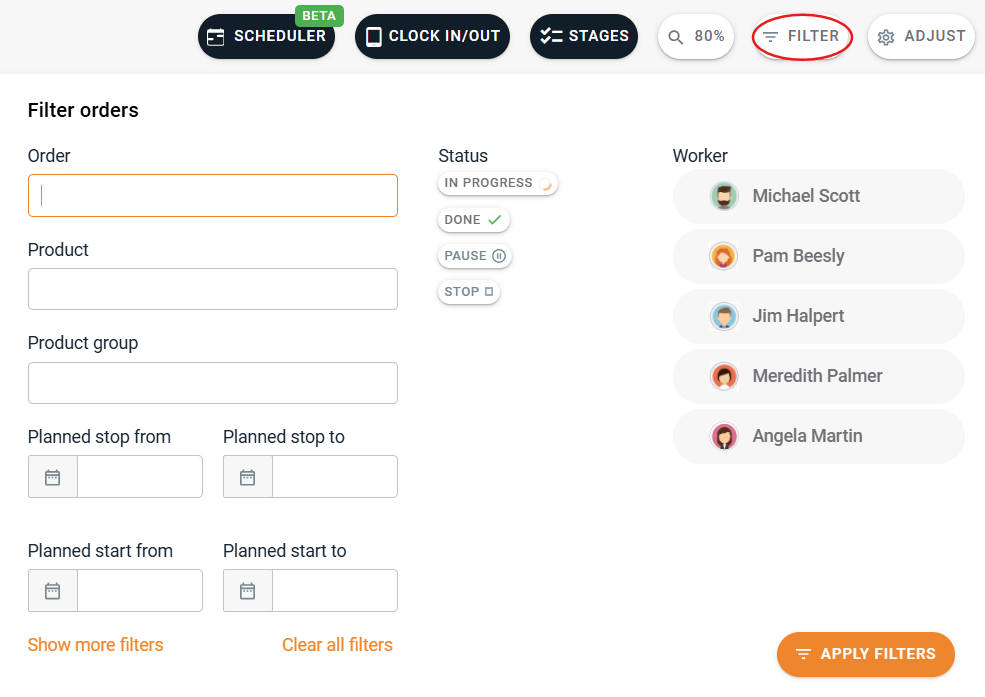
To use this feature, simply click the "Filter" button. A list of various criteria will appear, allowing you to filter tasks based on:
Order number (Prodio ID and External Order Number);
Product name and product groups;
Time range;
Values entered in the tags or comments field (e.g., product color or size);
Task status;
Worker assigned to the task;
Machine.
Filtering by Workers
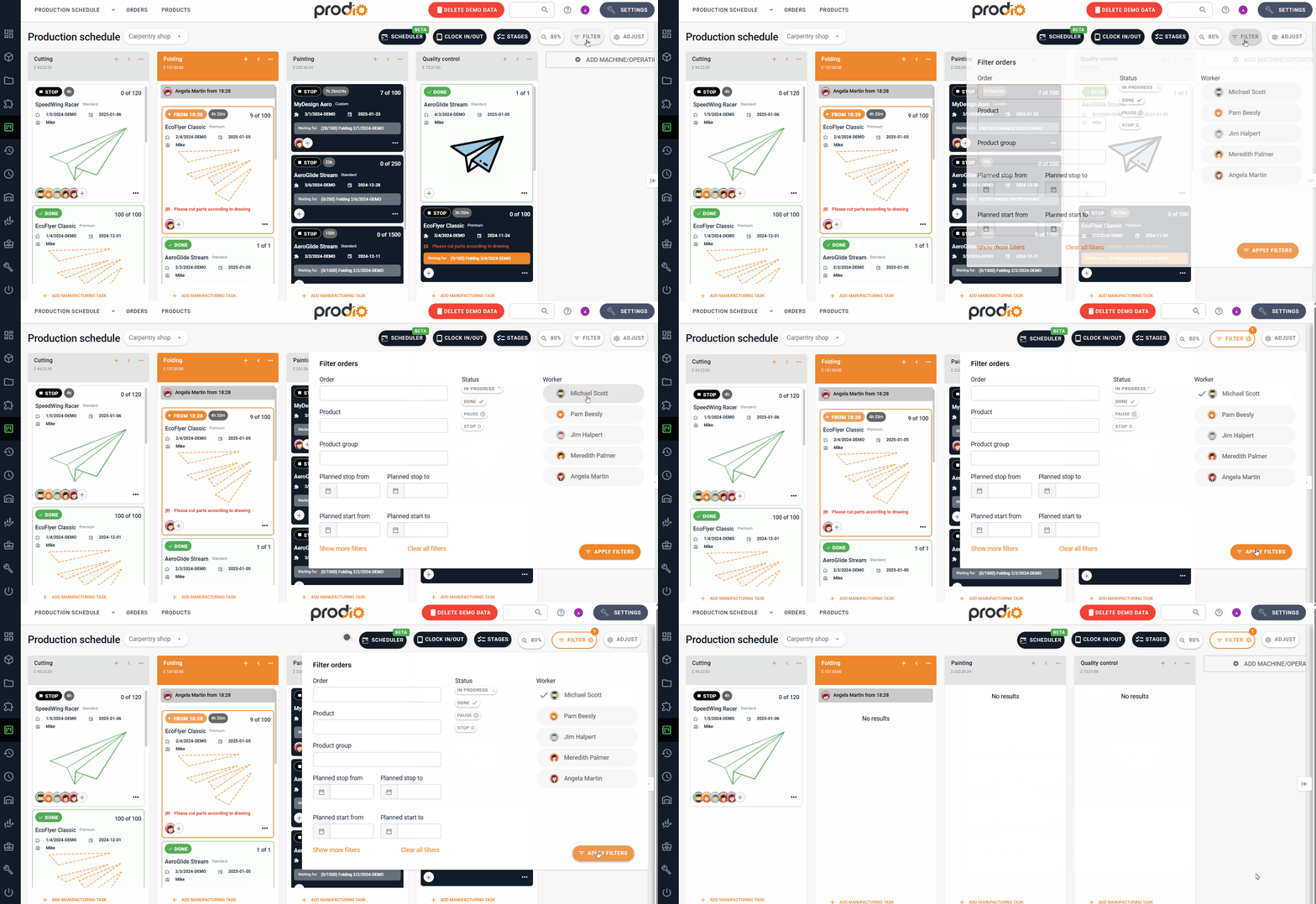
This feature also allows you to view tasks assigned to specific employees. It’s especially helpful when you want to quickly see what a particular employee is working on and check if someone has free time on a given day to take on additional tasks. 👷
Why Is Filtering Useful?
Filtering lets you quickly find specific information, saving you time and simplifying production management. Instead of reviewing the entire schedule, you can display only the tasks that interest you – whether by product, status, or person. 😀
High five 🙋♀️ - team Prodio!
Prodio is a user friendly production planning software for small manufacturers