
Employee Manual: How to Log Your Work in Production?

We have prepared a quick manual for you on how to log your clock-ins and clock-outs at work, on production orders, and breaks.
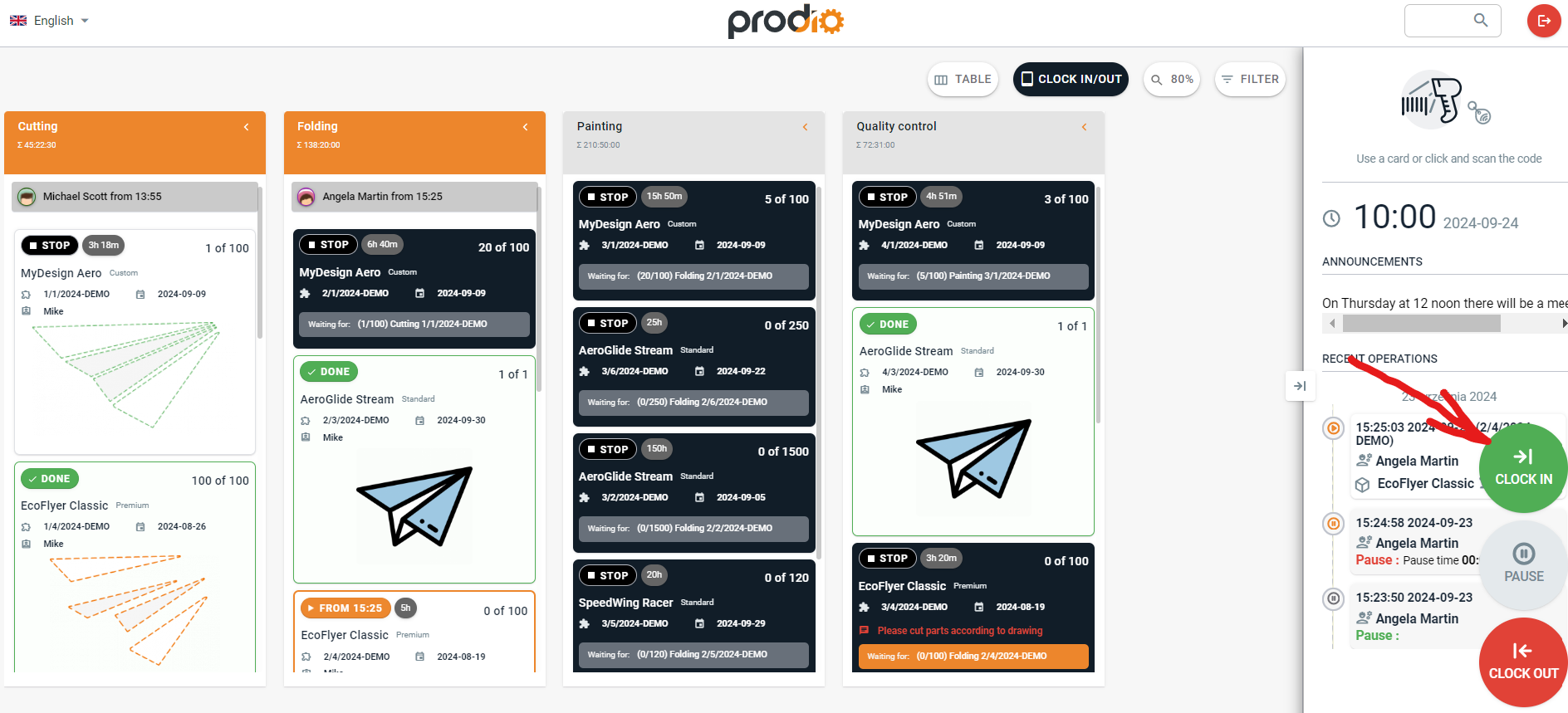
The first thing you need to do when you arrive at work is click the "Clock-in" button.
Then log in using RFID tags, QR codes, barcodes, or a PIN😀
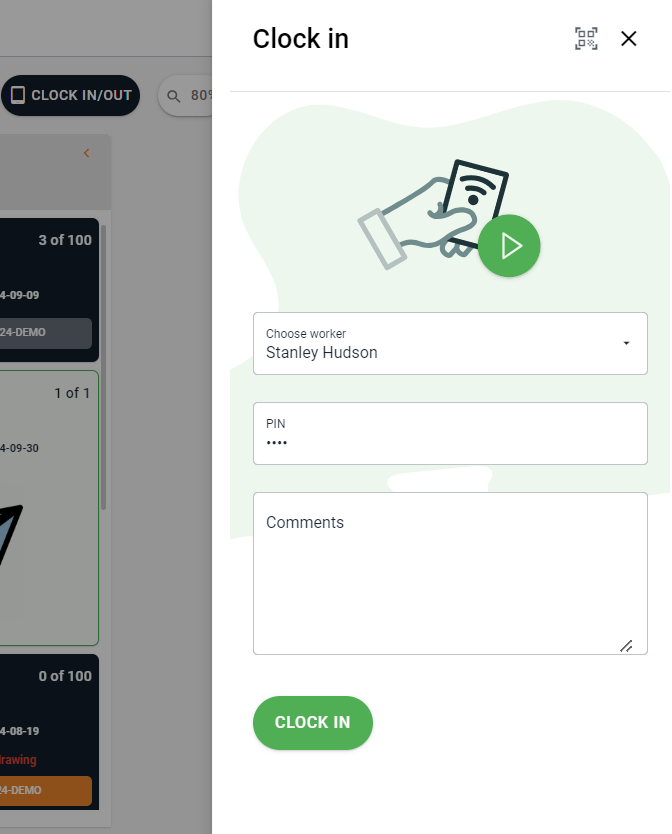
After clocking in, the next step is to log your work on manufacturing task.
All you need to do is click on the manufacturing task you want to start working on and swipe your RFID tag on the reader (or enter your PIN, scan a QR code, or use a barcode)🖱️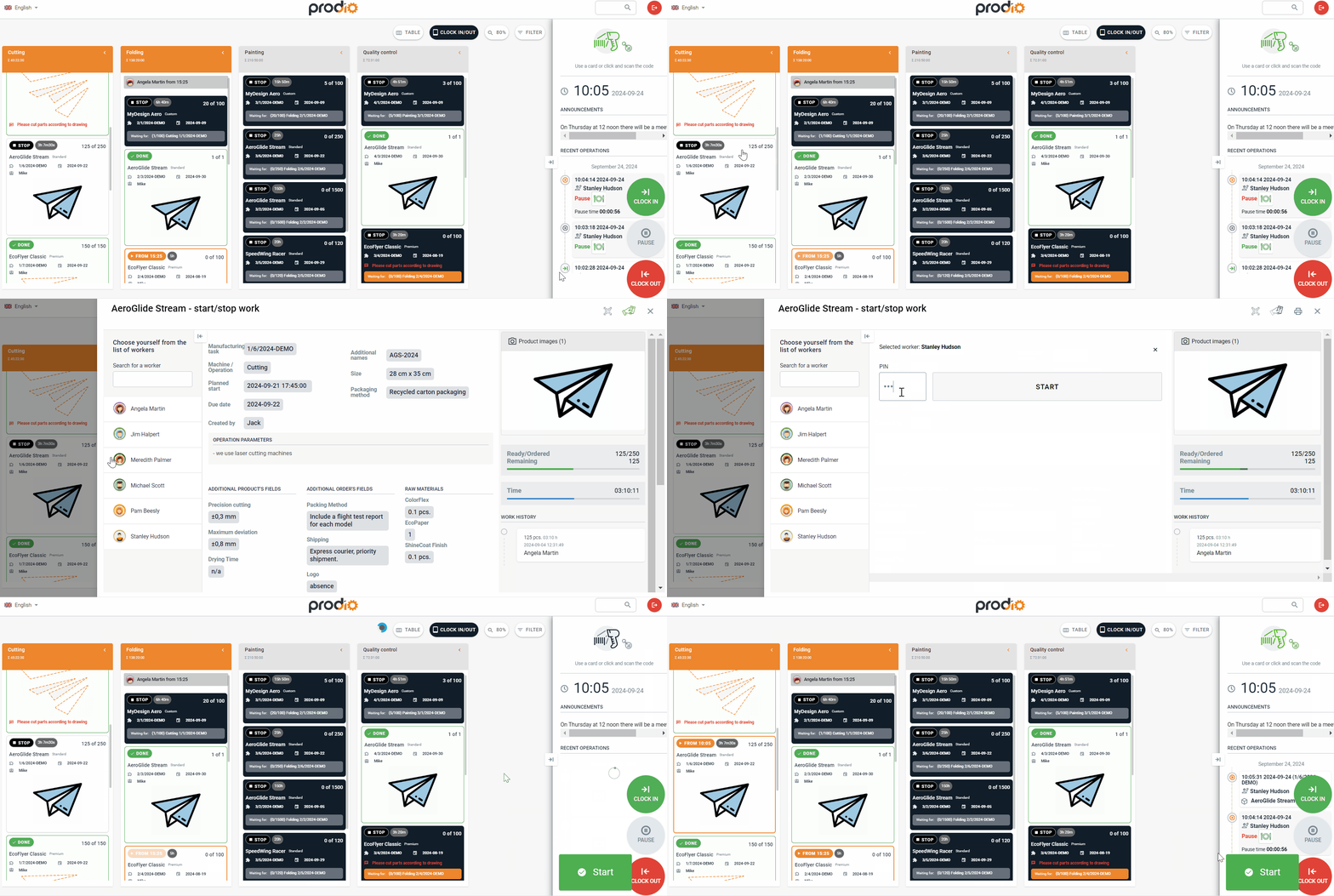
If you want, you can also easily find manufacturing tasks assigned to you by filtering them by your name. 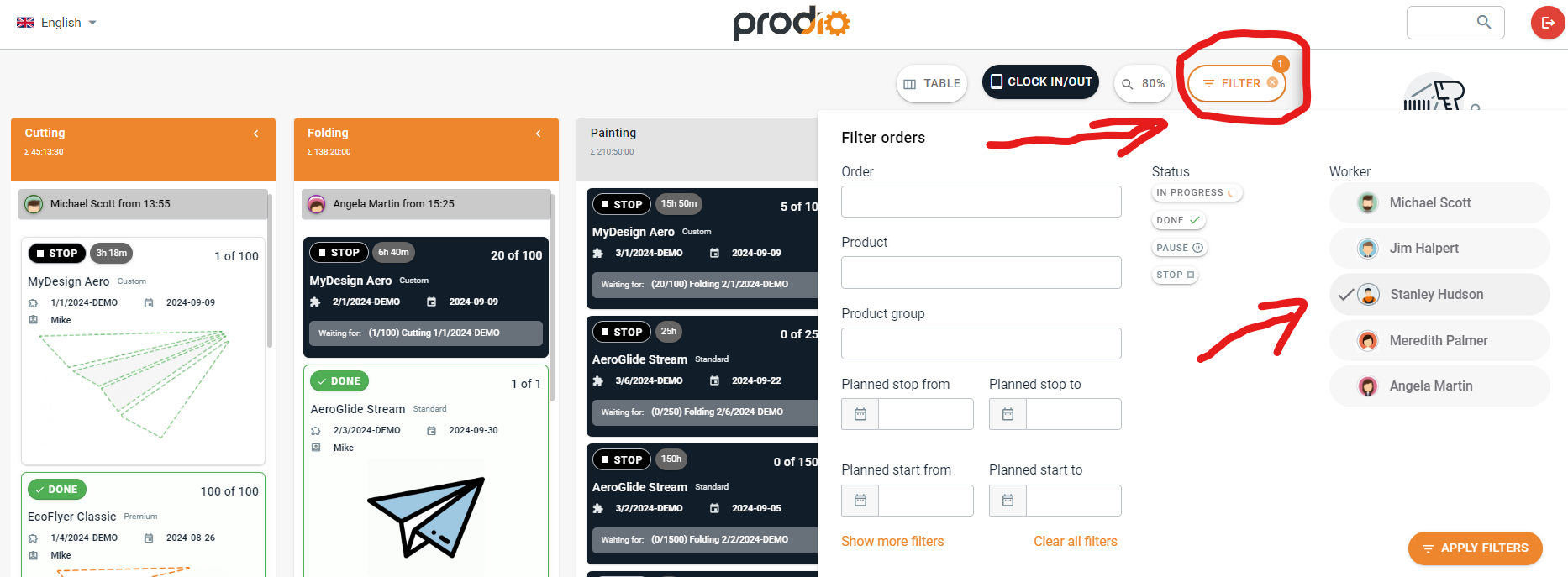
If you need a break, simply click the "Pause" button on the right⏯️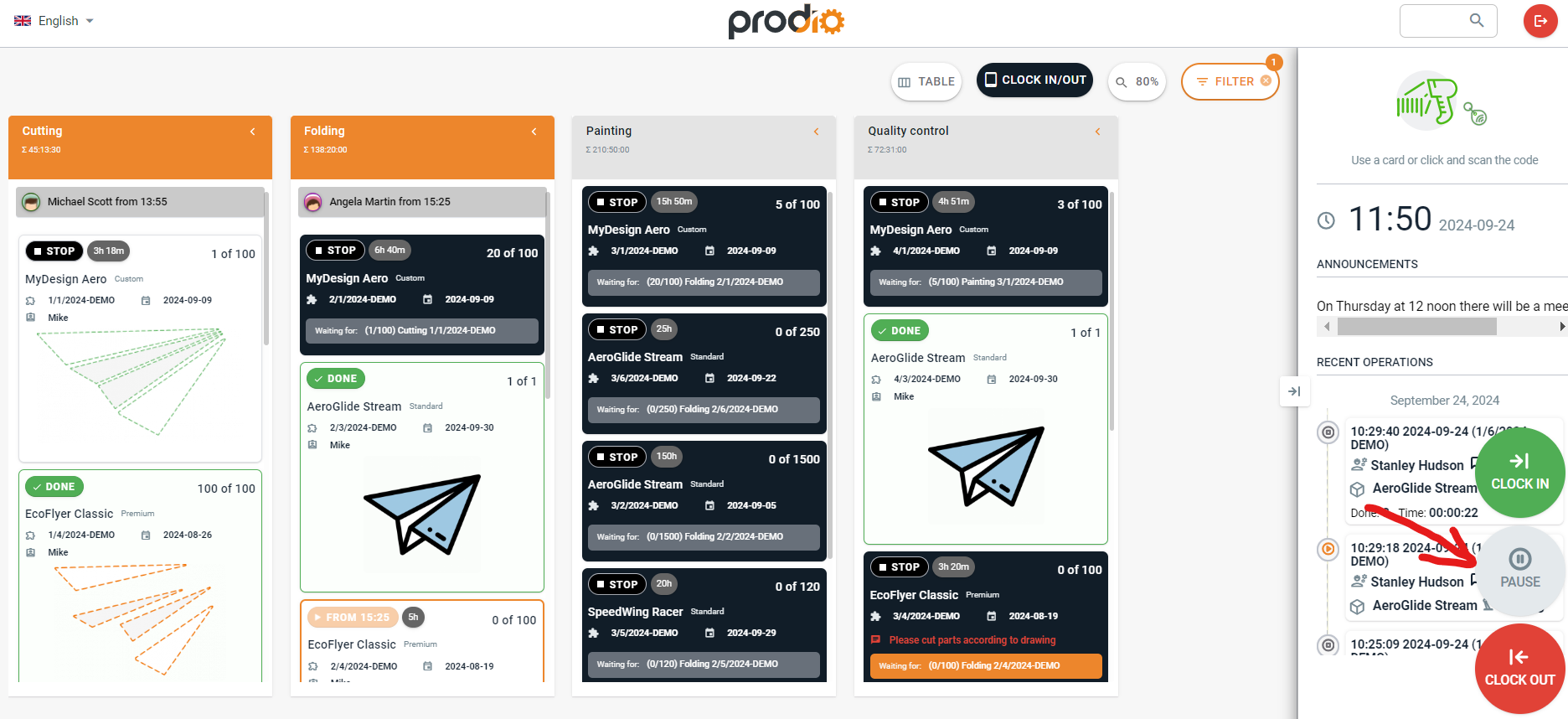
If you're already clocked in on a production order, no worries. The system will show a pause on the order, and when you return, the order will resume automatically 😊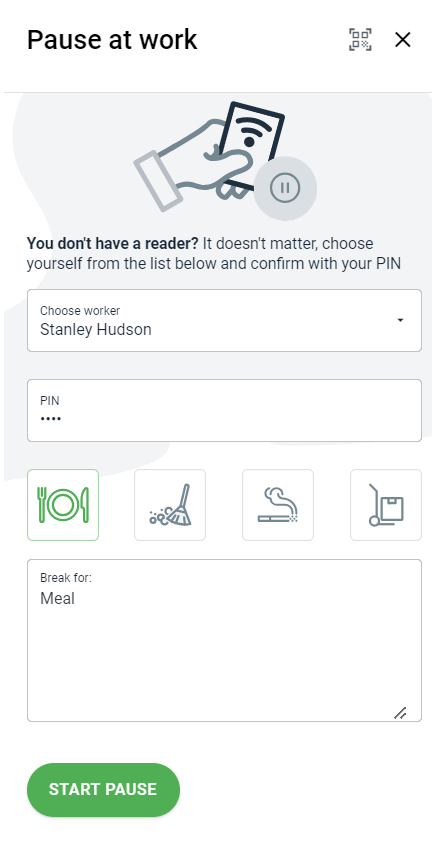
Here you can also swipe your RFID tag to take a break or select yourself from the list and enter your PIN.
Now, choose the reason for your break or enter your own 😊
When you return from the break, just click the "Pause" button again on the production schedule, select yourself from the list, and hit "STOP".
When you want to finish work on a manufacturing task, click on the task you were working on – you can click on your name under the machine, and Prodio will take you to the task you are currently working at.
Then, click on your name (or use RFID tag), enter the number of completed pieces, your PIN and hit "STOP"⏱️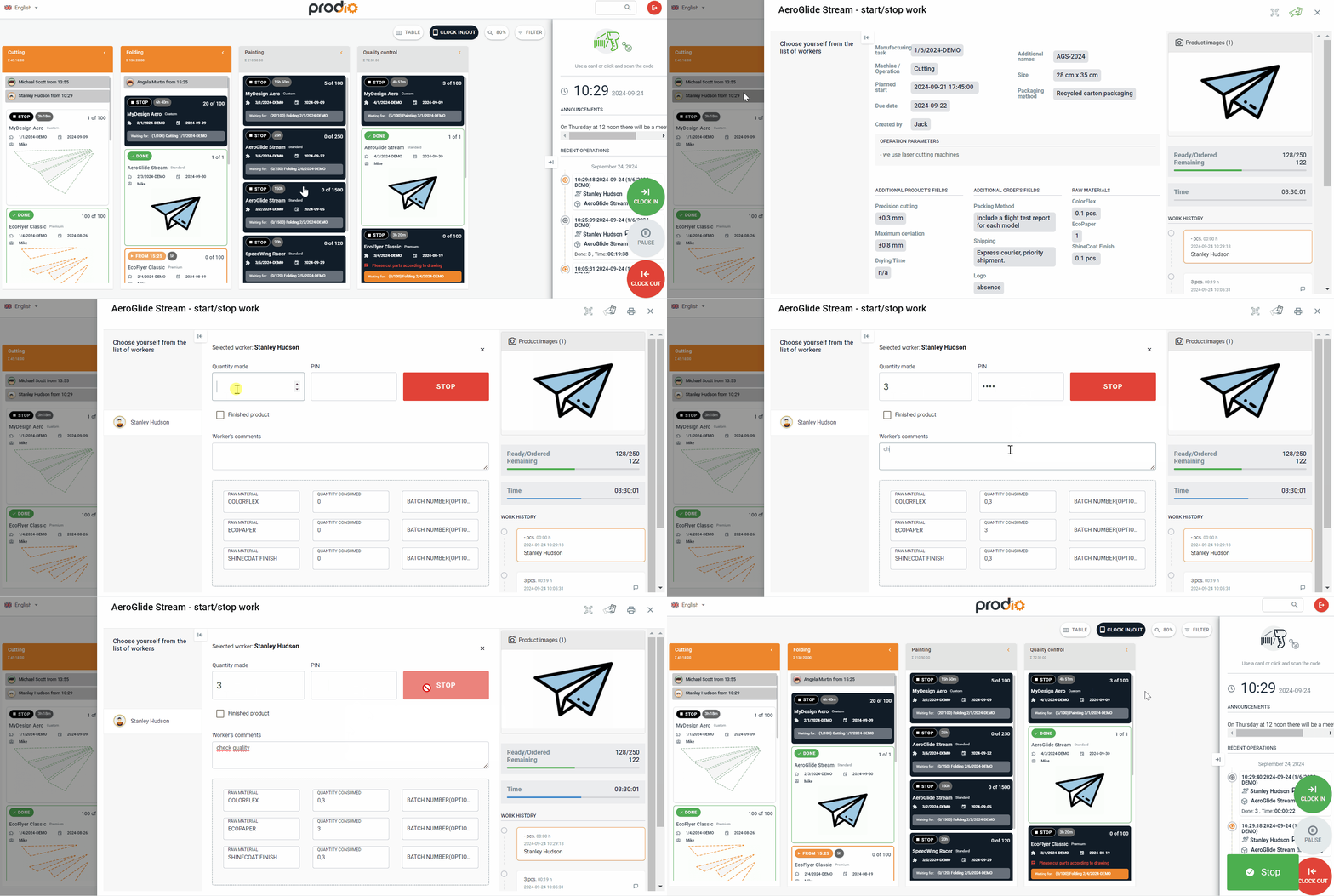
Finally, to finish your shift, click the "Clock-out" button on right. Swipe your RFID tag (or use your preferred method for clocking in/out and pausing) and your work is finished 😀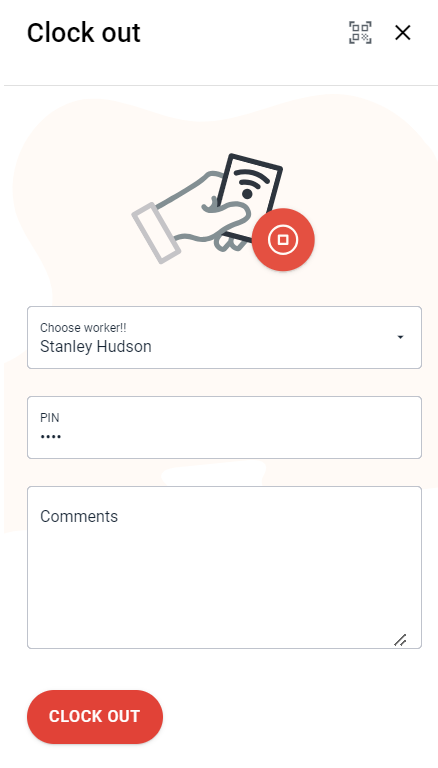
High five 🙋♀️ - team Prodio!
Prodio is a user friendly production planning software for small manufacturers.