
Customizing the Display of Information on the Production Schedule

The production schedule offers extensive customization options to tailor it to your specific needs.
At the top of the screen, you'll find a gear icon labeled "Adjust." This is your key to full control over the appearance and functionality of the production schedule, allowing you to decide which information should be visible on tasks and which can be hidden to keep things organized. 👌
Customizing Task Tiles
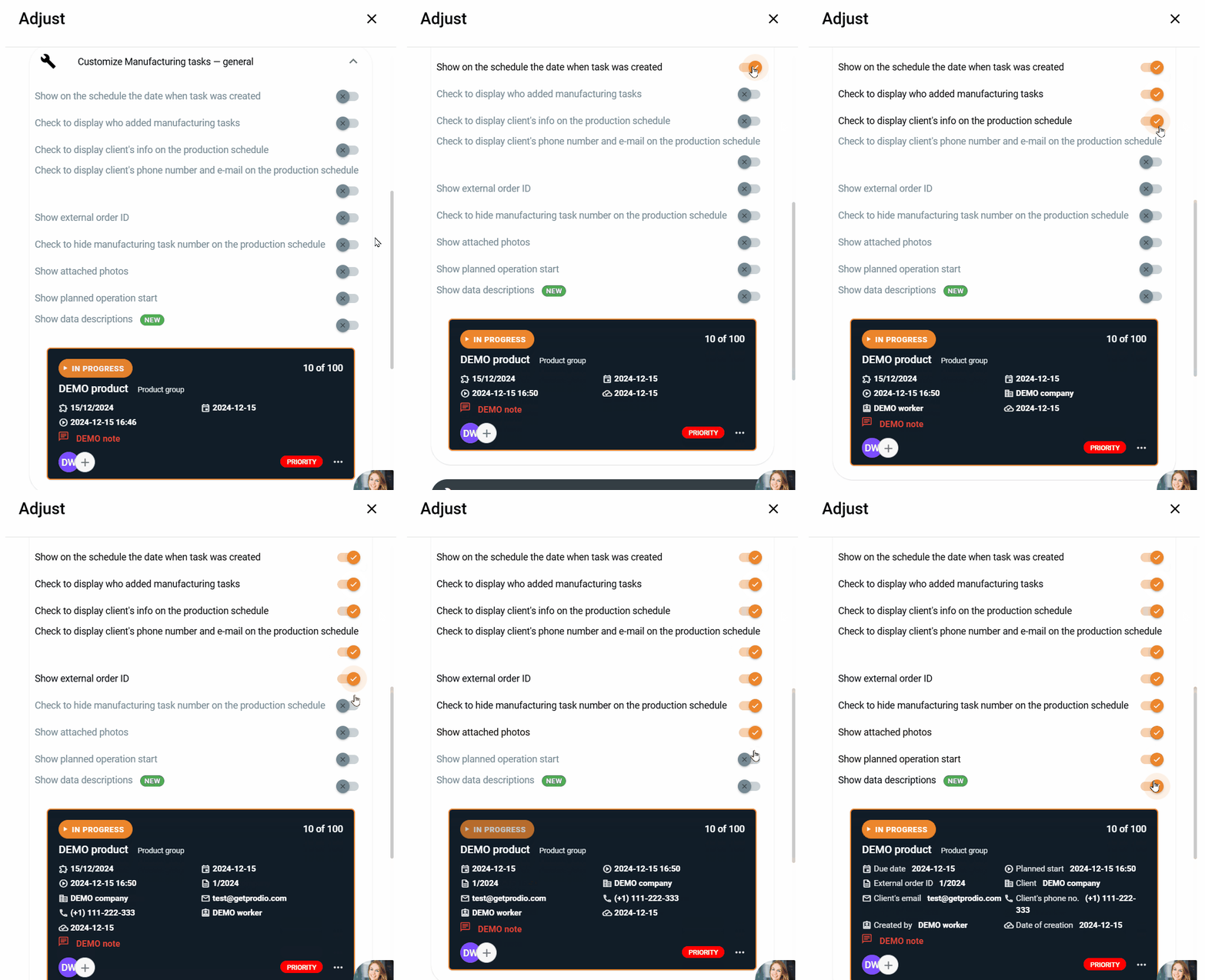
In the "Customize" option, you can precisely adjust the task tiles displayed on the production schedule.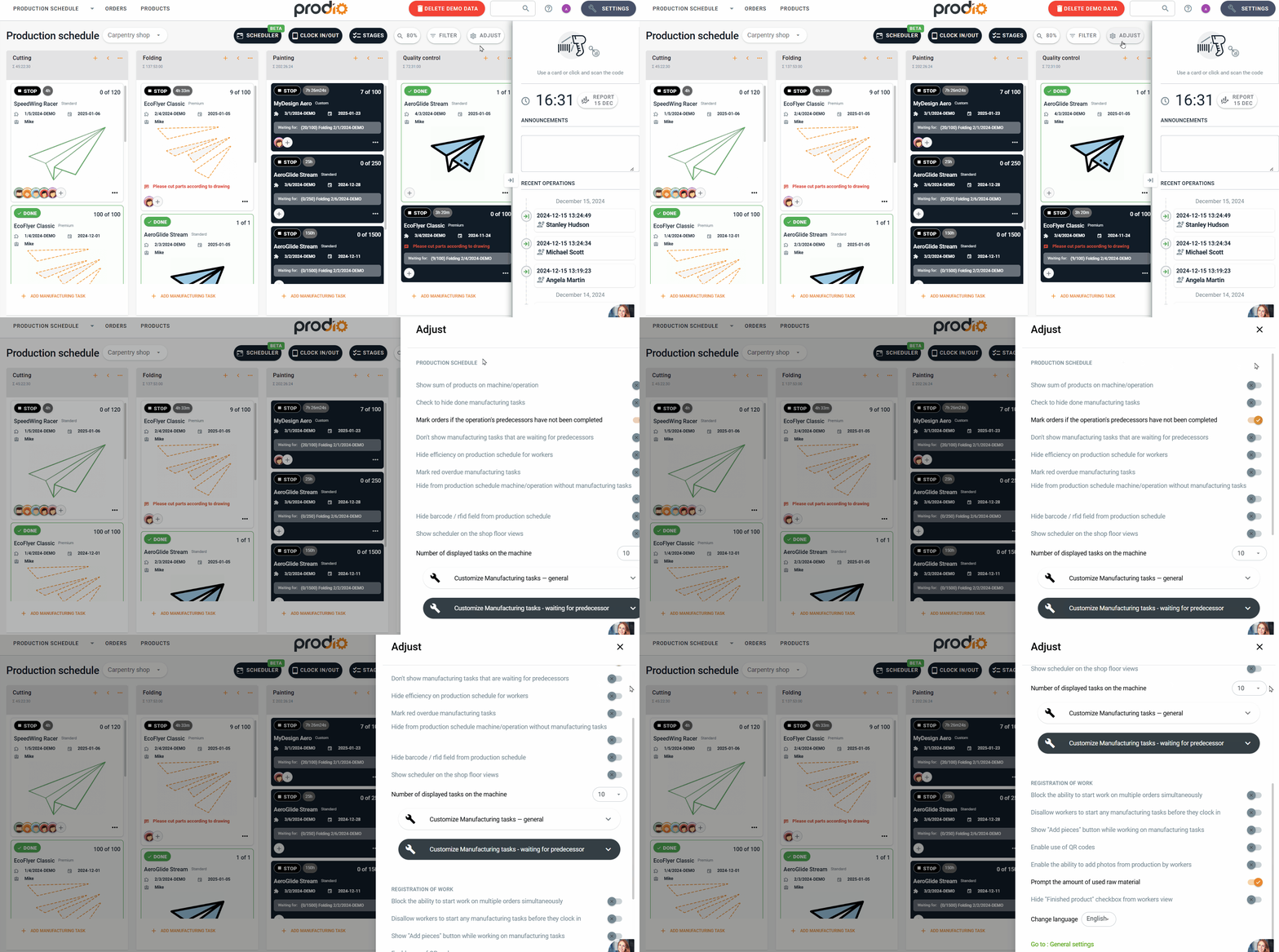
Here, you decide which information should appear on each task. Some of the options include:
Task creation date – Display when the task was added to the schedule.
Who created the task – Identifying the person who added the task helps track accountability.
Customer name – Useful if you want your employees to immediately see who the task is for.
Customer number and email – Display additional contact details if needed.
External order number – Show the order number from an external system to easily link tasks with documentation.
Hide task number – If the task number isn’t necessary, you can hide it to make tiles clearer.
Product image – Displaying a product image helps employees quickly identify what they’re working on.
Planned operation start – Show when the operation is scheduled to begin.
Data descriptions – Add helpful explanations for the tile's content, or disable them if employees don’t need this feature
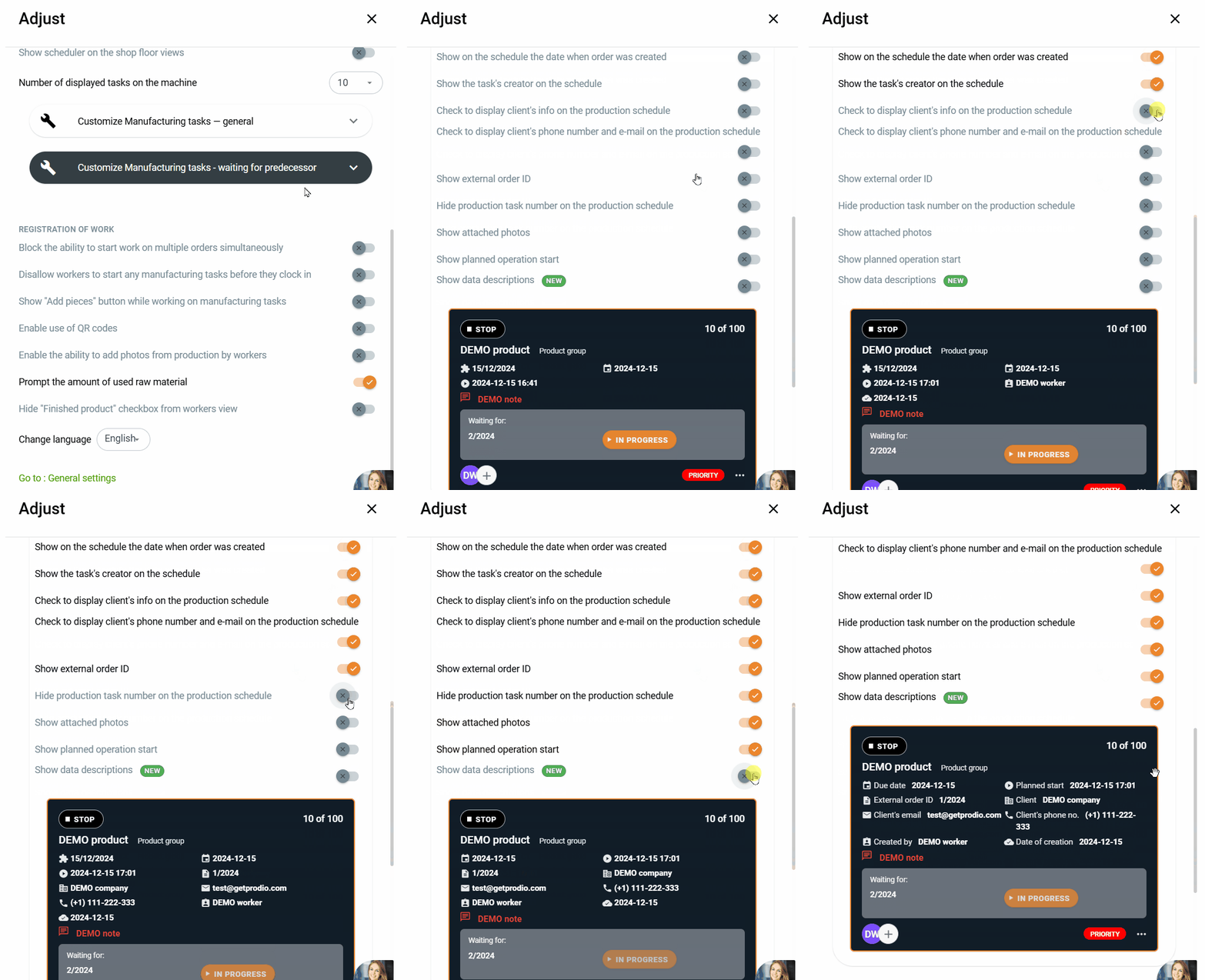
Customizing Black Tiles – Pending Tasks
In addition to the main task tiles, you can also customize black tiles, which represent tasks waiting for the completion of white tasks. Customization options include:
Displaying the task creation date.
Showing who created the task.
Customer name, number, and email.
External order number – Essential if you use additional order management systems.
The ability to hide task numbers if unnecessary at this stage.
Product image – Useful for complex or visually distinctive products.
Planned operation start – Display the date to plan the next steps in advance.
Data descriptions.
Why Customize the Production Schedule?
These features allow you to create a production schedule tailored to your needs. If clarity is a priority, hide less critical information. If detailed data is essential at every stage, you can easily display it. Personalized tiles help your workers complete tasks more efficiently and give you better control over the entire production process. 😎
High five 🙋♀️ - team Prodio!
Prodio is a user friendly production planning software for small manufacturers