
Adding, Hiding, and Configuring Dashboard Modules in Prodio

With dashboard modules, you can control visible information, set their order, and create custom dashboards for different areas.
Modules in Prodio are a great way to tailor your dashboard view to the needs of your production. Thanks to the "Adjust" function, you can decide how your dashboards should look, how many modules should be visible, and in what order they should appear. 😊
What customization options are available?
Module visibility
Module display order
Creation of new, thematic modules
How to customize the module view on the dashboard?
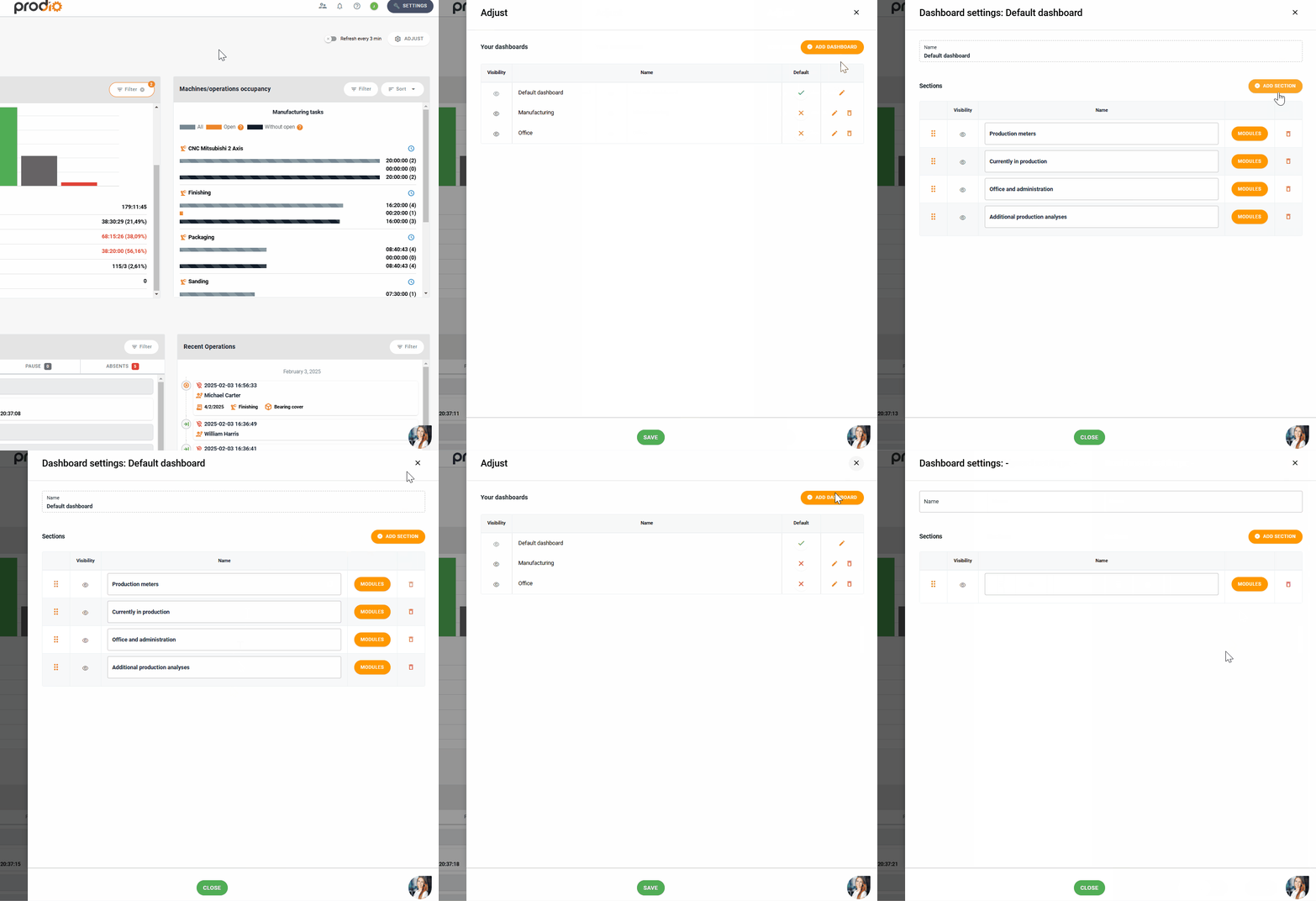
Managing the order and visibility of modules on the dashboard
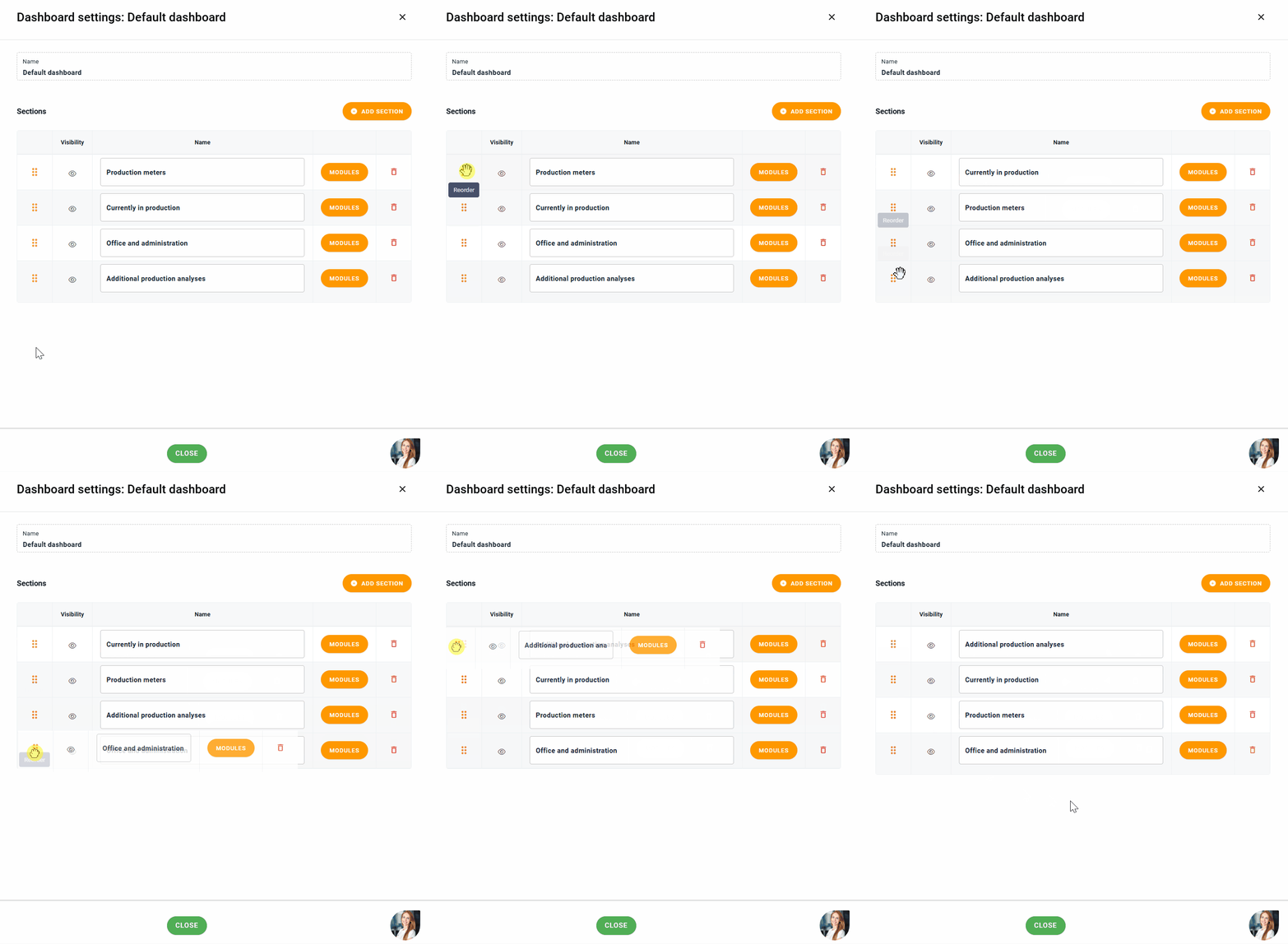
To adjust the order, use the drag-and-drop dots (move the dots to the desired location).
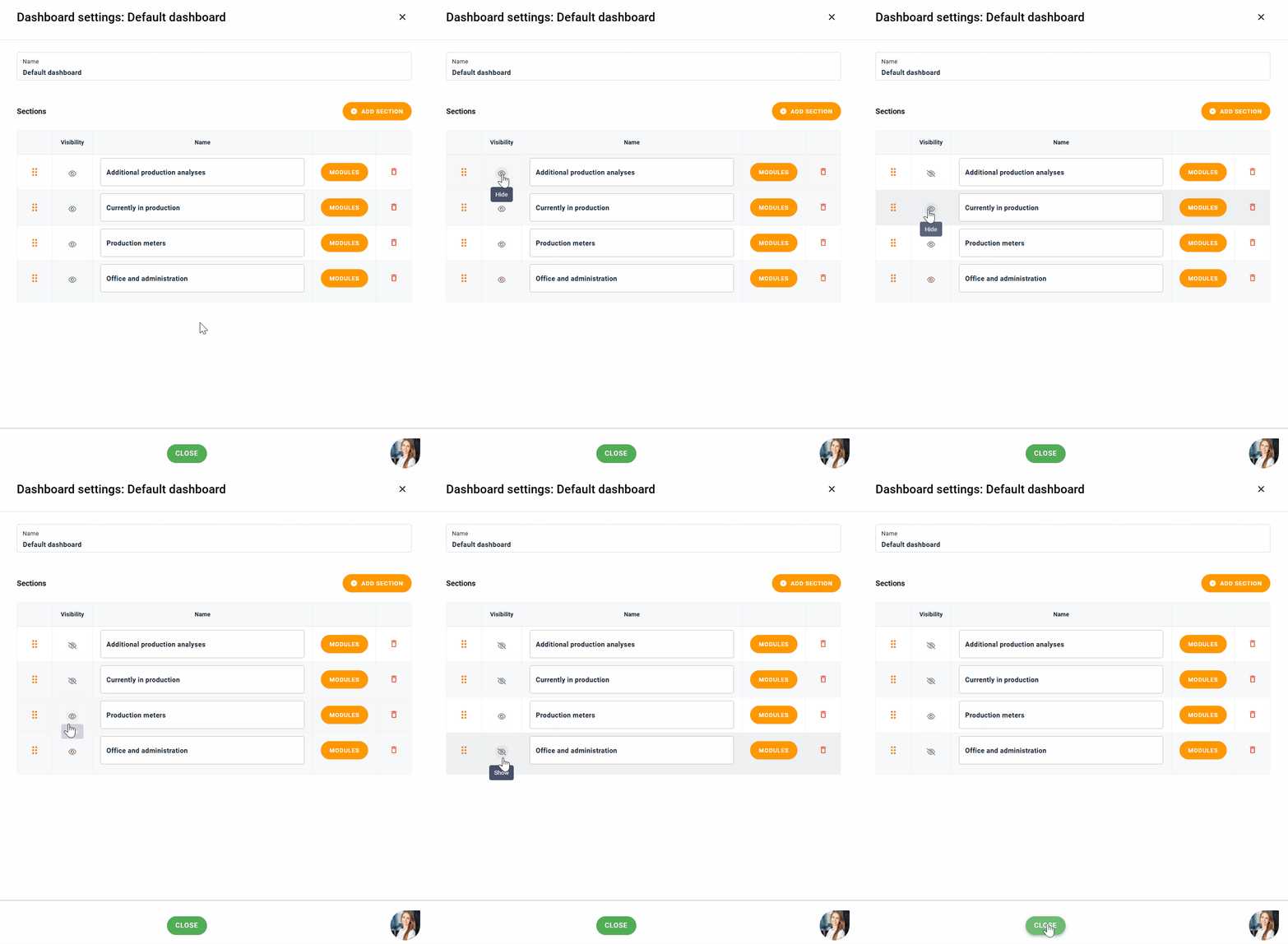
To set section visibility - use the eye icon to hide sactions that you don’t need on a specific dashboard.
Modules are an integral part of every dashboard and can be arranged into sections. This helps you better organize information – for example, you can create a "Order Management" section with modules related to orders, and in another section, display data on employee absences.
Each dashboard can have a unique layout of modules and sections, tailored to the specific needs of your company.
➡️ You can find a detailed guide on creating and customizing dashboards here:
🎯 Organize your modules into sections and customize dashboards for different areas of your business! 😊
High five 🙋♀️ - team Prodio!
Prodio is a user friendly production planning software for small manufacturers